1
Connecting to a Projector on a Network and Projecting
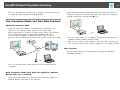
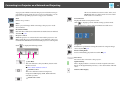
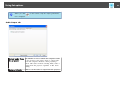
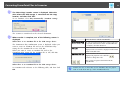
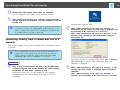
When the system starts in Quick Connection Mode.
21
Busy (Disable
interrupt connection)
Currently in
use by another
application
Searching
Not found.
A
B
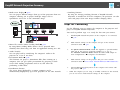
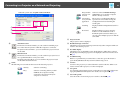
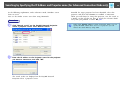
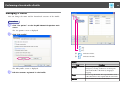
Automatic search
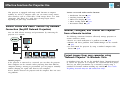
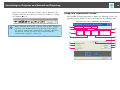
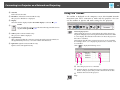
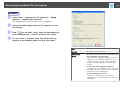
In Advanced Connection Mode, you can search for available projectors on the network system to which the computer is connected.
In "Quick Connection Mode", you can search for the projector based
on the SSID.
Manual search
In Advanced Connection Mode, you can search for a projector based
on a specified IP address or Projector name.
In Quick Connection Mode, you can search for the projector based
on the SSID selected from a list.
C Status
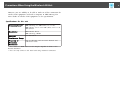
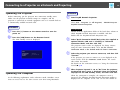
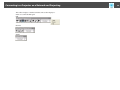
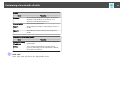
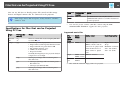
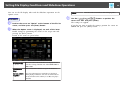
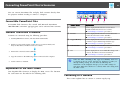
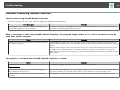
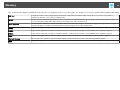
The following six icons indicate the status of the detected projectors.
Standby
Select for connecting.
Busy
Select for connecting. When you click
Connect, the computer currently
connected is disconnected and your
computer is connected.
Cannot be selected. Disable interrupt
connection is set on another computer
which is already connected.
The projector's Configuration Menu is
open.You can select it after closing the
Configuration menu and running the
search again.
Displayed while running Manual search or
Profile.
Displayed when a projector cannot be
found as a result of Manual search or
Profile.In Quick Connection Mode, you
can only select multiple projectors with the
same SSID.
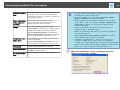
D Projector name
The projector's name is displayed.
E Disable interrupt connection
Check the box to prevent an interrupt connection by other computers while connected to the selected projector.
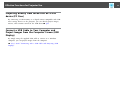
F Use multi-display
Check the box to use the Multi-screen display function. When this is selected,
Display layout and Display properties are displayed at the bottom of the screen.
s p.29
G Troubleshooting
If there is a problem and you cannot have a connection, press this button to
open the EasyMP Network Projection Troubleshooting screen.
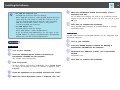
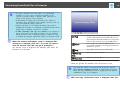
H Connect
Connect to the projector you selected from the search results list. When a connection is made with a projector, a toolbar is displayed.
I Set options
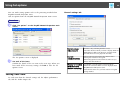
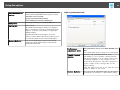
You can make general setting options such as the processing method when starting up EasyMP Network Projection. For details, see Set options s p.45
J Save in the profile
Saves the results of a network projector search as a Profile.s p.40