1
Converting PowerPoint Files to Scenarios
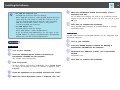
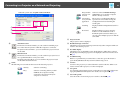
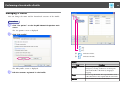
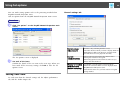
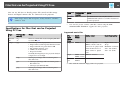
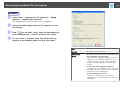
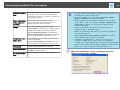
Projector Resolution
Select the Resolution for the projector that will
project the scenario. Scenarios for which WXGA
(1280 x 800 dots) has been set cannot be played back
on XGA type projectors.
After converting
a file, copy it to
memory.
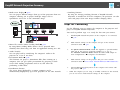
Select to follow the conversion procedure
step-by-step. When selected, the Set screen is
displayed each time a file is converted.
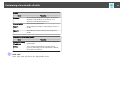
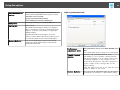
Image
Set the image quality for the converted file.
When Normal is set, the file size is smaller compared
to High Image Quality, but the image quality is
degraded. High Image Quality is recommended.
When Perform simplified conversion is selected in
Conversion Mode, image quality cannot be set.
Animation Transition Time
Set the animation reproducibility (transition time)
for the converted file.
When Perform simplified conversion is selected in
Conversion Mode, a transition time cannot be set.
Advanced
Switch between Show/Hide for Advanced.
Restore Defaults
Changed settings are returned to their default values.
Click OK to save the settings.
Version information
Display version information for the application.
69
q
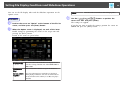
• You can modify setting details by clicking the Set button on the
EasyMP Slide Converter Main screen.
• In Windows 2000, you cannot select Convert files without
playing a slideshow from Conversion Mode.
• If the resolution for the computer being used does not have
1280 x 800 or 1280 x 768 settings, and Play a slideshow and
convert files is selected, you cannot select WXGA for the
Projector Resolution.
• Cannot convert audio and movies in PowerPoint files or
animations such as PowerPoint Game.
• Effects set for the first slide cannot be converted regardless of
the Conversion Mode.
• When Convert files without playing a slideshow is selected,
screen switching effects cannot be converted.
• Animations for which timer or repeat are set may not be
converted normally. If you cannot convert the Animation
correctly, set a longer standby time to increase the reproducibility.
• Cannot convert when the slide display settings in the PowerPoint
file are set to Slide or when Custom Slide Show is set.
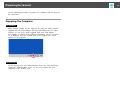
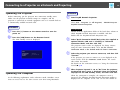
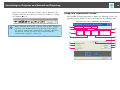
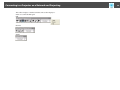
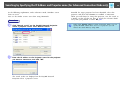
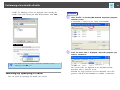
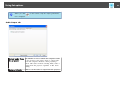
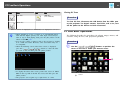
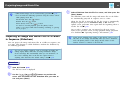
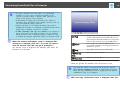
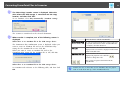
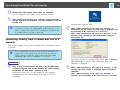
E When the confirmation screen is displayed, check the
content and then click "Convert".