1
Step 8
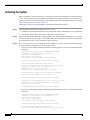
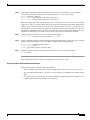
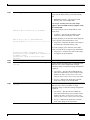
The EXEC command interpreter prompts you for the name of the file that will contain the configuration.
By default, the system appends -confg to the router’s name to create the new filename. Press Return to
accept the default filename, or enter a different name for the file before pressing Return. In the following
example, the default is accepted:
Name of configuration file to write [Router-confg]?
Write file Router-confg on host 1.1.1.1? [confirm]
Writing Router-confg .....
Step 9
Before the router executes the copy process, it displays the instructions you entered for confirmation. If
the instructions are not correct, enter n (no) and then press Return to abort the process. To accept the
instructions, press Return, or press y and then Return, and the system begins the copy process. In the
following example, the default is accepted:
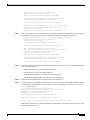
Write file Router-confg on host 1.1.1.1? [confirm]
Writing Router-confg: !!!! [ok]
While the router copies the configuration to the remote host, it displays a series of exclamation points
(! ! !) or periods (. . .). The !!!! and [ok] indicate that the operation is successful. A series of periods (...)
and [timed out] or [failed] indicates a failure, which would probably be due to a network fault or the lack
of a writable, readable file on the remote file server.
Step 10
If the display indicates that the process was successful (with the series of exclamation points [! ! !] and
[ok]), the copy process is complete. The configuration is safely stored in the temporary file on the remote
file server.
If the display indicates that the process failed (with the series of periods [. . .] as shown in the following
example:
Writing Router-confg .....
your configuration was not saved. Repeat the preceding steps, or select a different remote file server and
repeat the preceding steps.
Step 11
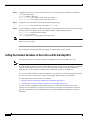
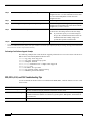
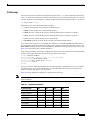
To further ensure that the configuration file was copied correctly, issue the show startup-config
command and look at the first line for the configuration file’s size. Compare it with the file you copied
to the TFTP server. Following is an example. (Take special note of the line preceded by >>.)
Router# show startup-config
>> Using 1186 out of 126968 bytes
!
version 11.1
hostname Router
Router#
After you copy the configuration file, proceed to the “Removing the RSP2” section on page 15. If you
are unable to copy the configuration file to a remote host successfully, contact your network
administrator or see the “Obtaining Technical Assistance” section on page 86 for instructions on
contacting technical assistance.
This completes the procedure for copying the configuration file.
Retrieving the Configuration File
This section describes how to retrieve the saved configuration and copy it to NVRAM. Enter
configuration mode and specify that you will configure the router from the network. The system prompts
you for a host name and address, the name of the configuration file stored on the host, and confirmation
to reboot using the remote file.
OL-4923-01 B0
69