1
Introduction
Introduction
Introducing DiscView® PRO
The DiscView PRO software, which comes with Microtest
CD-ROM networking products, drives the CD-ROM networking product. DiscView PRO contains two components:
•
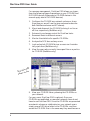
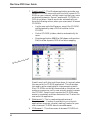
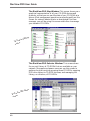
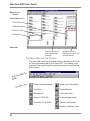
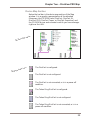
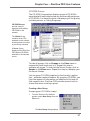
A Windows CD-ROM management interface: This
Microsoft Windows program allows you to see your
CD-ROM network devices. You use simple menu options
or drag and drop operations to configure the devices, regardless of where they are physically located in your network environment. It provides an easy, convenient way to
manage your network CD-ROMs, without having to go to
a fileserver console to issue cryptic server commands.
•
The DiscView PRO Server Components: These load on
the server and integrate the CD-ROMs with NetWare® or
Windows NT™ so that the CD-ROM information appears
as network volume information to your network users.
The Server Components are generally transparent. You
will use the DiscView PRO management interface to install, configure, and manage the CD-ROMs, and to manage all the Microtest CD-ROM products. Users benefit by
having comparable access to CD-ROMs from all products,
regardless of type or physical location.
ix