1
DIGITAL VIDEO RECORDER
10
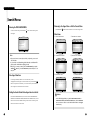
Searching the Backed-up Data (VISS)
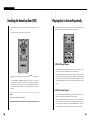
The VISS function allows you to quickly and easily search the data backed up on to a video
tape.
11
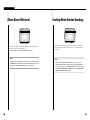
Playing Back a Section Repeatedly
The REPEAT function allows you to repeatedly play back a certain section during DVR or VCR
playback. The REPEAT function can be operated from the remote control only.
The VISS function can be operated from the remote control only.
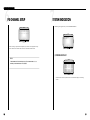
(1) DVR A-B Repeat Playback
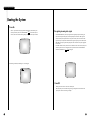
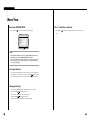
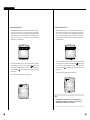
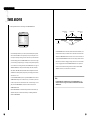
During DVR playback, press the REPEAT button at the start point of the section you want to
play back repeatedly. At this time, "REPEAT" blinks on the bottom left part.
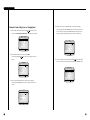
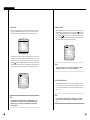
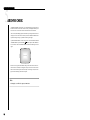
Press the REPEAT button again at the end point of the section you want to play back repeatIn VCR mode, press the VISS button on the remote control, ➛➛ /❿❿ will appear on the
screen.
edly. The specified section will be played back 5 times. "REPEAT" will appear at the bottom
Press the REW (I➛➛ ) or FF (❿❿I) button depending on the direction of your search. The
closest data in either direction will be played back for 5 seconds along with the backup information. When you have found the data you want, press the PLAY/STILL (❿II) button. The
search will stop and the data will be played back. To stop the VISS search, press the STOP
( ) button.
note that A-B Repeat Playback will work only if the DVR's playback speed is set to normal,
Note
During a VISS search, the screen will be live.
left of the screen. To cancel the A-B Repeat, press the PLAY/STILL(❿II) button twice. Please
1/5, or 1/2.
(2) VCR A-B Repeat Playback
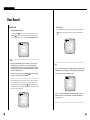
During VCR playback, press the REPEAT button at the start point of the section you want to
play back repeatedly. At this time, "➛❿" blinks on the upper left part. .
Press the REPEAT button again at the end point of the section you want to play back repeatedly. The specified section will be played back 5 times. "➛❿" will appear at the top left of
the screen. To cancel the A-B Repeat, press the PLAY/STILL(❿II) button twice. Please note
that A-B Repeat Playback will work only if the DVR's playback speed is set to normal.
7-15
7-16