1
Q
CHECK
VOLTAGE
HERE1
v
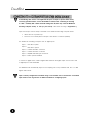
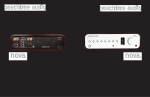
Check to make sure your Wadia 27i Decoding Computer has been manufactured for operation
at your AC line voltage. Attempting to use your Wadia 27i Decoding Computer at any voltage
other than specified on the rear of the unit may cause damage which is not covered by Wadia's
warranty. If the voltage specified is different from your AC voltage, contact your Wadia dealer
USING AC LINE CONDITIONERS
In most cases, best performance is obtained when the Wadia 27i is plugged directly into the
wall outlet using the AC power cord provided. The Wadia 27i employs extensive power-line
filtering and noise suppression technology. It should not be necessary to use power conditioners
or after-market power cords. If you wish to experiment with any of these devices, work closely
with your dealer and most of all, trust your own ears.
USING A “SURGE PROTECTOR”
Although the Wadia 27i will resist significant voltage spikes, it can still be damaged by
extreme voltage overload such as a lightning strike. Such damage is not covered by the
warranty. In some circumstances, a “surge protector” can help prevent this type of damage.
However, surge protectors often degrade sound quality. Each Wadia owner must weigh the
protection offered by a surge protector against the sonic degradation.