1
Quick Installation Guide
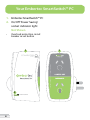
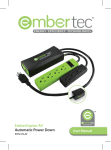
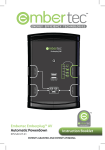
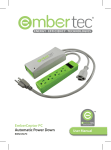
Setting Up the Embertec SmartSwitch™ PC
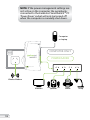
1. Unplug your existing powerboard from the wall socket and
then plug the powerboard into the ‘Power Saver Socket’.
2. Plug the equipment that is used with the computer, such as
monitors, printers, speakers, external hard drives and lamps
into this powerboard.
3. Connect only ONE computer (laptop or desktop) into the
socket marked ‘Computer Only’.
4. Connect the equipment that needs to remain turned
on, such as the internet modem / router, fax machine, to
another free socket on the wall outlet.
5. Plug the Embertec SmartSwitch™ PC into a 230V or 240V
power point, and turn the power point on at the wall.
NOTE: Maximise your energy saving
by ensuring your computer’s power
management settings are active so the
computer enters sleep or standby after
a short period of time (15 minutes).
Normally this function is found in a
menu called ‘Power Options’ in a PC;
and ‘Energy Saver’ in a Mac.
6