1
Fast Facts
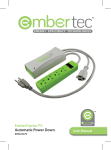
• The ‘Computer Only’ socket Specifications
(grey) is recommended for
use with a laptop or desktop • Surge protection provided
to Embertec SmartSwitch™
computer. This will ensure
PC outlets, providing
that constant computer
assurance that your home
power is not interrupted or
office equipment and
removed at any time to avoid
computer equipment
damage to your computer
are protected against
hardware or data files.
dangerous power surges
• The ‘Power Saver’ socket
from your electricity source.
(green) is recommended
Total surge protection up to
for peripheral devices
537 Joules / 13,500amps. In
that can be switched
the event of a major power
off automatically when
surge, electrical overload
the computer is not in
or wall outlet failure, the
use (monitors, printers,
Embertec SmartSwitch™ PC
speakers, and lamps). These
will remove power to both
devices will be switched
sockets to further protect
off automatically to save
your connected equipment.
energy when the computer
• Australian designed and
enters sleep, hibernate,
engineered.
standby or off modes.
• Conforms with Australian
• LED monitoring light
Electrical Safety Standards:
indicates power, monitoring
AS/NZS 3197:2005 and
and event status, as well as
AS/NZS 3100:2009
the operational state of the
Embertec SmartSwitch™ PC.
• Circuit breaker re-set
button.
• 3 pins for use with standard
Australian general purpose
outlets.
9