1
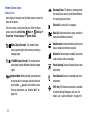
Location On: GPS location information is
available to the network. For more information
about this setting, see “Location Detection” on
page 109.
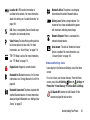
SSL: Data is encrypted by Secure Socket Layer
encryption, for increased privacy.
Voice Privacy: The Voice Privacy setting is active,
to increase privacy of voice calls. For more
information, see “Voice Privacy” on page 116.
TTY: TTY Mode is active. For more information,
see “TTY Mode” on page 115.
Keypad Lock: Keypad is currently locked.
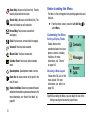
Bluetooth On: Bluetooth service is On. For more
information, see “Turning Bluetooth On or Off” on
page 66.
Bluetooth Connected: The phone is paired with
another Bluetooth device. For more information,
about pairing with Bluetooth, see “Adding a New
Device” on page 67
Bluetooth Active: The phone is exchanging
information with another Bluetooth device.
Battery Level: Battery charge indicator. The
number of bars show available battery power,
with more bars indicating more charge.
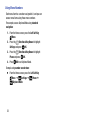
Network Extender: Phone is connected to a
network extender device.
Auto Answer: The Auto w/ Handsfree Answer
Option is enabled. For more information, see
“Answer Options” on page 115.
Status and Settings Icons
Icons display in the Status and Settings area of the Home
screen.
For a list of icons, see the Icon Glossary. From the Home
screen, press the Left Soft Key Menu ➔
Settings ➔
Phone Info ➔ Icon Glossary ➔ Service Alert & Settings.
All Sounds Off: Volume set to All Sounds Off. No
sounds are played for calls or alerts.
Understanding Your Phone
20