1
RAPID CONFIGURATION
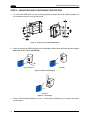
1
1 RAPID CONFIGURATION
This chapter illustrates a Stand Alone application. For other types of
installations, such as ID-NET™, Fieldbus, Pass-Through, Multiplexer
Layout, etc., refer to chapters 4, 5 and 6. For complete scanner
configuration using the Genius™ configuration program, refer to the
Context-Sensitive Help On-Line.
NOTE
STEP 1 – CONNECT THE SYSTEM
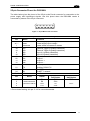
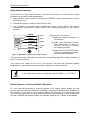
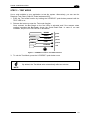
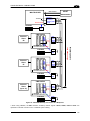
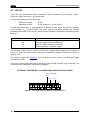
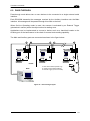
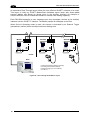
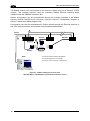
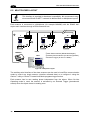
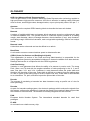
To connect the system in a Stand Alone configuration, you need the hardware indicated in
Figure 1.
In this layout the data is transmitted to the Host on the main serial interface.
In Local Echo communication mode, data is transmitted on the RS232 auxiliary interface
independently from the main interface selection.
When On-Line Operating mode is used, the scanner is activated by an External Trigger
(photoelectric sensor) when the object enters its reading zone.
PG 6000
MAIN
DS2100N
CBX100/500
Host
P.S.*
I/O, AUX
* Presence Sensor
(for On-Line mode)
Figure 1 – DS2100N in Stand Alone Layout
1