1
local-mac-address Property
Each of the network interfaces of the Sun Quad FastEthernet adapter has been
assigned a unique Media Access Control (MAC) address, which represents the 48-bit
ethernet address for that network interface. The OpenBoot firmware reports this
MAC address via the local-mac-address property in the device nodes
corresponding to the network interfaces.
A system is not obligated to use this assigned MAC address if it has a system-wide
MAC address. In such cases, the system-wide MAC address applies to all network
interfaces on the system.
The device driver, or any other adapter utility, can use the network device’s MAC
address (local-mac-address) while configuring it. In the Solaris 2.6 and later
operating system, you can use a network device’s MAC address when booting over
the network.
The mac-address property of the network device specifies the network address
(system-wide or local-mac-address) used for booting the system. To start using
the MAC addresses assigned to the network interfaces of the Sun Quad FastEthernet
adapter, set the NVRAM configuration variable local-mac-address? to true.
ok setenv local-mac-address? true
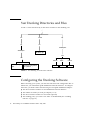
Configuring the Trunking Software Files
After locating the instance numbers of the Quad FastEthernet network interfaces,
and deciding how you want to organize your network, you can begin to configure
the Trunking software.
Chapter 1
Installing and Configuring the Sun Trunking 1.0.1 Software
13