1
Recording from a CD
● When recording important selections, make a preliminary test to ensure that the
desired material is properly recorded.
4
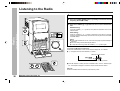
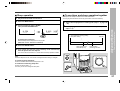
Press the REVERSE MODE button to choose one side or both sides.
● SHARP is not liable for damage or loss of your recording arising from malfunction of
this unit.
.... To record on both sides.
.... To record on only one side.
5
Press the REC PAUSE I6 button repeatedly to switch to the
side you record on.
● Recording will be paused.
● To record on both sides, begin on side A. (If recording is started from side B,
the tape will not switch over to side A.)
6
Press one of the DISC 1 - DISC 6 buttons to start recording.
When the CD reaches the end, recording will stop.
Recording from several CDs continuously:
Recording
signal (Variable Sound Monitor).
● Do not use metal or CrO2 tapes for recording.
– Recording from a CD –
● The volume and sound controls can be adjusted with no effect on the recorded
1. Follow the above steps 1 - 5.
2. Regardless of the setting in step 5, press the 06 button to record on side A, or the
1 button for side B.
Recording will start from the disc of the lowest number.
To perform programmed recording:
1. Program discs and tracks (page 19).
2. Press the REC PAUSE I6 button.
3. Regardless of the setting in step 5, press the 06 button to record on side A, or the
1 button for side B.
You can record the desired CD using the DISC 1 - DISC 6 buttons.
1
2
3
To stop recording:
Press the POWER button to turn the power on.
Press the ■ button.
The CD and tape will stop.
Press the CD button and load the desired disc.
Auto restart function:
Load a cassette into the compartment with side A facing you.
If the recording side is switched from side A to B during recording, the system will
record the interrupted track on side B from its beginning.
The recording will be made without cutting the beginning of the track on side B.
■ Programmed Play (See page 19.)
23