1
Maintenance
Before Starting the Easy Replacement Procedure
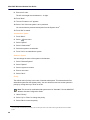
1. Check that both the old handset (that is, the handset to be replaced) and the new handset
(that is, the replacement handset) are of the same device type (5607).
Note: You can perform Easy Replacement between different licenses (that is; 5607
Standard, 5607 Services, 5607 Personal Alarm, and 5607 Dect Location). The new
handset’s license is not replaced by the old handset’s license during the procedure1.
2. Make sure that the handset batteries are charged before starting the easy replacement
procedure.
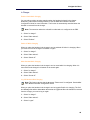
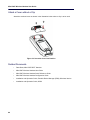
3. Switch off the new handset by long pressing
.
Easy Replacement Procedure
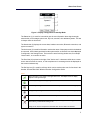
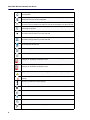
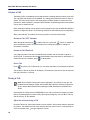
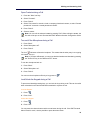
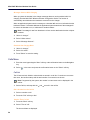
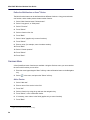
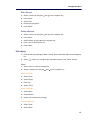
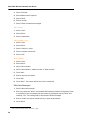
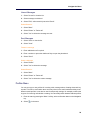
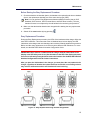
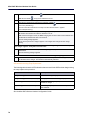
During the Easy Replacement procedure, the LEDs of the handset and the charger follow the
same LED indications. This means that if the old handset has a broken display, the LED
indications on the charger and on the handset can be used to follow the replacement procedure.
Before and after easy replacement, the LEDs may have different LED indications. For more
details, see the Mitel 5607 Wireless Handset Configuration Guide.
IMPORTANT: Never remove a handset from the charger until the instructions in the
display or the LED tells you to do so. (See the status on the LED if the display is broken).
If an error is indicated you may be able to remove the handset. See the Mitel 5607 Wireless
Handset Configuration Guide for further instructions.
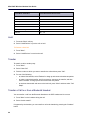
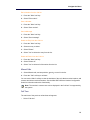
After you place the old handset in the charger, you must place the new handset in the
charger, regardless of whether the replacement was successful or not. Failing to do so
may result in malfunction and the new handset will need servicing.
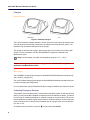
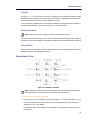
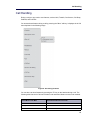
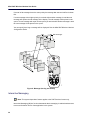
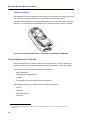
Figure 13: Easy Replacement using the 5607 Programmer
77