1
Mitel 5607 Wireless Handset User Guide
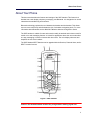
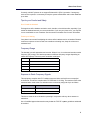
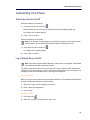
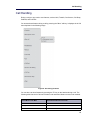
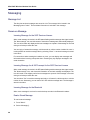
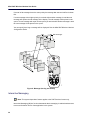
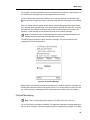
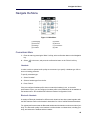
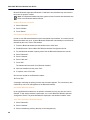
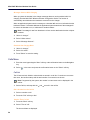
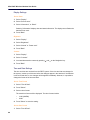
5607 Wireless Handset Configuration Guide, there are two colored messages—a new
message, and a read message—in the message inbox (left in the figure). The messages are
indicated by a gradient color bar behind the envelopes. When reading a message, a gradient
color bar is appears below the envelop (right in the figure).
Figure 10: Colored Message
To enable colored messaging, see the corresponding manual for the application used. In
addition, colored labels can be mapped to message beep codes. See the IP-DECT WSM
Installation and Operation Guide.
Mobile Data
Note: This is a system dependent feature for the 5607 Services license only.
Send Mobile Data
You can send user entered data from the handset by pressing a pre-programmed hot key or
soft key, or selecting a service. Mobile data can be used for actions such as opening a door,
or starting or stopping a machine. The data can either be predefined, or entered after the hot
key/soft key is pressed or service is selected.
The data can be predefined when programming the soft/hot key or service. See the Mitel 5607
Wireless Handset Configuration Guide.
Send Mobile Data with a Prefix
Mobile data with a prefix is sent from the handset by entering data and then pressing a
pre-programmed hot key or soft key or selecting a service. Mobile data with a prefix can be
used to send information to an application in the system.
You define the prefix when you program the hot/soft key or service. See the Mitel 5607 Wireless
Handset Configuration Guide.
Voice Mail
Note: This feature is available only if configured in the system.
34