1
Additional Features
3.
4.
5.
6.
Ctrl bar code, then the letter. Controlled characters
can be entered only for the active character set.
• To enter a controlled character in upper case, scan
Ctrl, then Shift (or Shift, then Ctrl), then the letter.
To enter a space, place the cursor in front of the letter
that will follow the space, then scan the spc key.
To delete the previous character, scan Shift, then the
del. key.
Continue scanning in letters as required.
To translate the word you have entered, scroll to GO
and press 2. The corresponding dictionary entry
appears, and you are now back in normal scanning mode.
The Editor
Quicktionary-II contains two basic input modes: scan only
and edit.
Scan Only Mode
When Quicktionary-II is in scan only mode, the Input
screen is displayed, with the input field highlighted. You can
scan in text, but cannot edit it.
Edit Mode
Quicktionary II
To edit text, you must activate edit mode:
1.
Press 3 to return to the Input screen from the
Translation or Dictionary Entry screen. The text you
scanned in is highlighted.
Press 2 to go into edit mode. The text is de-highlighted.
2.
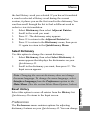
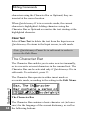
When Quicktionary-II is in edit mode, the Input screen
appears, but the text you have scanned is displayed as regular
31
text with a blinking cursor at the beginning of the field.