1
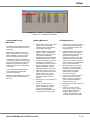
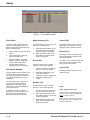
Memories
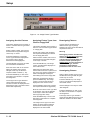
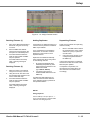
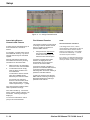
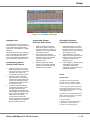
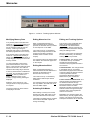
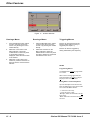
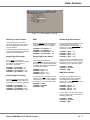
Changing the Type of a
Programmed Memory
WARNING: Changing the type of a
programmed memory may have
serious consequences on the
memory data stored, and some
channel data may be lost.
The results of changing the memory
type are detailed below.
•
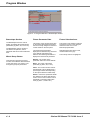
Scene to Multi-Part Scene
The dimmer channel and fixture data
and transition times for the scene are
copied into part 1 of the multi-part
scene. Parts 2 - 8 are unprogrammed.
•
Scene to Chase
The dimmer channel and fixture data
for the scene are copied into step 1 of
the chase memory.
•
Scene to Sound to Light
The dimmer channel and fixture data
for the scene memory is copied into all
four ‘steps’ of the sound to light
memory.
•
Scene to Ripplesound
The dimmer channel and fixture data
for the scene memory is copied into all
four ‘steps’ of the sound to light
memory.
•
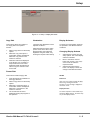
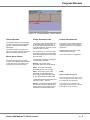
Multi-Part Scene to Scene
The delay, fade, transition and dwell
times are set to the memory defaults.
The programmed dimmer channel and
fixture data in each programmed part is
combined into a single set of channel
data and copied into the scene.
•
Multi-Part Scene to Chase
The multi-part scene memory is
converted into a scene, and then the
scene is converted into a chase.
•
Multi-Part Scene to Sound to Light
The multi-part scene memory is
converted into a scene and then the
scene is converted into a sound to light
memory, as described above.
•
•
Chase to Scene
•
Ripplesound to Scene
The dimmer channel and fixture data
for step 1 becomes the contents of the
scene memory. The data in all other
steps in the chase is lost.
The dimmer channel and fixture data
from the Band 1 ‘step’ is copied into
the scene. All other ‘steps’ from the
ripplesound memory are lost.
•
•
Chase to Multi-Part Scene
Ripplesound to Multi-Part Scene
The chase memory is converted into a
scene, and then the scene is converted
into a multi-part scene, as described
above.
The ripplesound memory is converted
into a scene, and then the scene is
converted into a multi-part scene, as
described above.
•
•
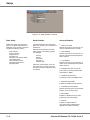
Chase to Sound to Light
Ripplesound to Chase
The dimmer channel and fixture data
for the first 4 steps of the chase are
copied into the Lo, Lo-Mid, Hi-Mid and
Hi ‘steps’ respectively. All other steps
from the chase are lost.
The dimmer channel and fixture data
from Band 1, Band 2, Band 3 and
Band 4 ‘steps’ are copied into steps
1,2,3 and 4 respectively. The memory
becomes a four step chase.
•
•
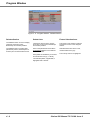
Chase to Ripplesound
The dimmer channel and fixture data
for the first 4 steps of the chase are
copied into the Band 1, Band 2, Band 3
and Band 4 ‘steps’ respectively. All
other steps from the chase are lost.
•
Ripplesound to Sound to Light
The dimmer channel and fixture data
from Band 1, Band 2, Band 3 and
Band 4 ‘steps’ are copied into the Lo,
Lo-Mid, Hi-Mid and Hi ‘steps’
respectively.
Sound to Light to Scene
The dimmer channel and fixture data
from the Lo ‘step’ are copied into the
channel data for the scene. The data in
all other ‘steps’ from the sound to light
memory are lost.
•
Sound to Light to Multi-Part Scene
The sound to light memory is
converted into a scene, and then the
scene is converted into a multi-part
scene, as described above.
•
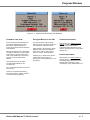
Sound to Light to Chase
The dimmer channel and fixture data
for the four ‘steps’ is copied into steps
1,2,3 and 4 of the chase. The memory
becomes a four step chase.
•
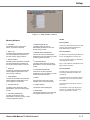
Sound to Light to Ripplesound
The dimmer channel and fixture data
for the Lo, Lo-Mid, Hi-Mid and Hi
‘steps’ are copied into the Band 1,
Band 2, Band 3 and Band 4 ‘steps’
respectively.
Multi-Part Scene to Ripplesound
The multi-part scene memory is
converted into a scene and then the
scene is converted into a ripplesound,
as described above.
Illusion 500 Manual 73-741-00 Issue 2
5 - 15