1
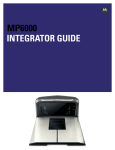
1 - 14 MP6000 INTEGRATOR GUIDE
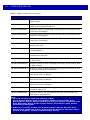
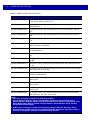
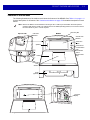
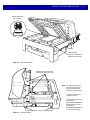
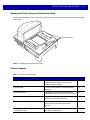
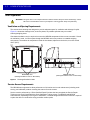
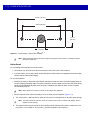
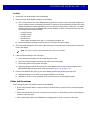
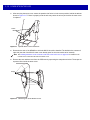
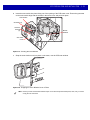
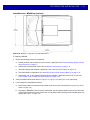
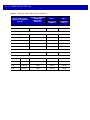
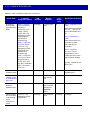
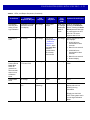
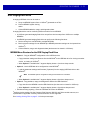
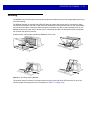
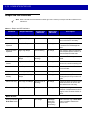
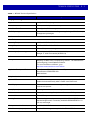
Table 1-2 Features on the MP6000 (Continued)
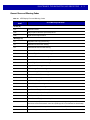
Feature
Description
Page
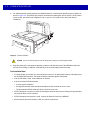
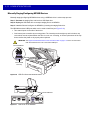
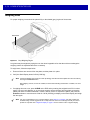
Platter
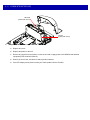
Stainless steel horizontal scanning surface;
imaging window for processing bar code data,
and placing items on the surface to determine
weight.
5-7
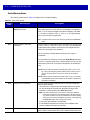
Calibration Switch
Used in manual scale calibration (currently
unavailable).
n/a
CSS (Optional)
Modular unit that fits into the MP6000 tower;
used for customer scanning.
5-6
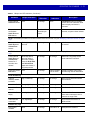
Scale Display
Single or dual display option provides the weight
of items on the scale.
5-6
Leveling Screws (medium and short models
only)
Screws for leveling the MP6000 when shelf
mounting is required. Leveling screws are an
optional accessory.
1-11
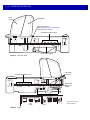
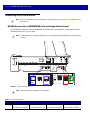
Connectors
Connect the MP6000 to peripherals, and
POS/host.
Table 1-3
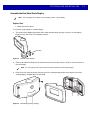
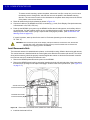
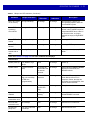
Internal USB Cap/Port
The internal USB port is available under the
platter.
1-11
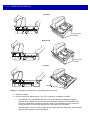
EAS Cable Channel
Cable routing channel for EAS antennas.
1-10
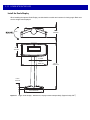
Scale Cable Channel
Cable routing channel for the scale cable.
1-10
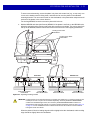
Drainage/Ventilation Holes
Outlet for spills.
1-10
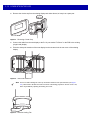
CSS Cable Channels
Channels for routing CSS cables.
1-10,
3-16
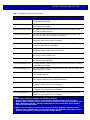
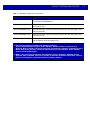
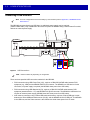
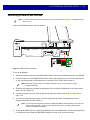
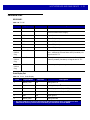
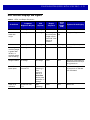
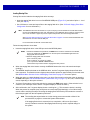
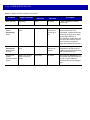
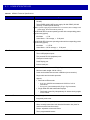
Table 1-3 Description of Connectors
Port
Description
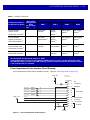
RS-232 AUX 1 (J7)
See Table 2-3 on page 2-13 for description.
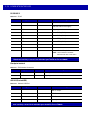
0.0 (J6)
Scale Display port.
RS-232 AUX 2 (J5)
See Table 2-3 on page 2-13 for description.
CKP I-LOCK (J4)
Checkpoint EAS Interlock.
AUX A-B (J3)
Dual USB 2.0 full speed ports for auxiliary USB scanners, CSS, or mass
storage device.
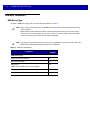
NOTE
POS (J2)
12V DC (J1)
An additional USB port is available in the front under the platter. All USB
ports can be used for the USB staging flash drive. See Table 2-14 on page
2-54 and USB Staging Flash Drive on page 5-11 for more information.
Point of Sale terminal port.
External power input. 12V / 3.33A (not required if powered from terminal).
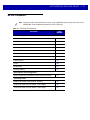
NOTE
If a power supply plug is inserted to the J1 connector, with no voltage to the
power supply, the scanner will not power up.