1
HOST INTERFACES AND CABLE PINOUTS 2 - 55
NOTE
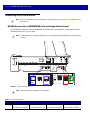
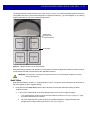
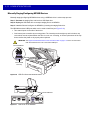
An additional USB port is available in the front under the platter. All USB ports can be used for
the USB staging flash drive. See Table 1-3 on page 1-14 and USB Staging Flash Drive on page
5-11 for additional information.
POS
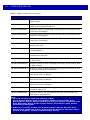
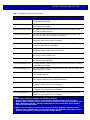
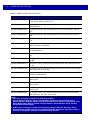
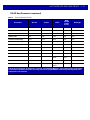
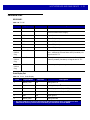
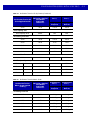
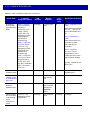
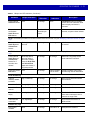
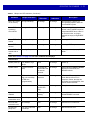
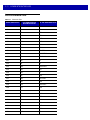
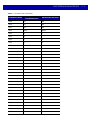
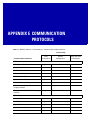
Table 2-15 RJ-45, Primary POS
Pin #
Signal/Name
Direction
Description
1
DETECT
Out
USB cable detect output
2
5V
In
USB cable 5V detect input
3
GND
N/A
Signal ground
4
TXD/IBM-A
Bidirectional
Multiplexed serial TXD/IBM-A
5
RXD/D+
Bidirectional
Multiplexed serial RXD/USB D+
6
RTS/IBM-B
Bidirectional
Multiplexed serial RTS/IBM-B
7
CTS/USB D-
Bidirectional
Multiplexed serial CTS/USB D
8
DOWNLOAD
In
POS download
9
N/C
N/A
10
12V
In
Terminal 12VDC to MP6000
(Power From Terminal) *
* Terminal systems vary in power capabilities. Ensure your system power supply is capable
of the MP6000 configuration power requirements. For terminals unable to support P.O.T., a
12V DC barrel jack is available for external power.
12V DC
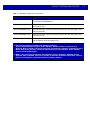
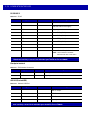
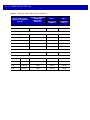
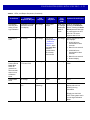
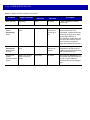
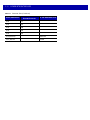
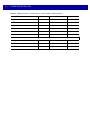
Table 2-16 12V DC Jack, 2.5mm
Pin #
Signal/Name
Direction
Description
1
EXT 12V
In
Center pin: 12VDC (primary power)
2
GND
N/A
Barrel: signal ground