1
User Guide
ProLine G90 (Models 6100, 6110)
CONTENTS
1.
PRODUCT DESCRIPTION ..................................................................................................................................4
2.
SAFETY INSTRUCTIONS ...................................................................................................................................4
3.
REGULATORY INFORMATION ........................................................................................................................5
4.
5.
3.1
FCC Compliance Note ...............................................................................................................................5
3.2
Canada Certification Notice.......................................................................................................................6
HARDWARE FEATURES....................................................................................................................................7
4.1
LED Indicators...........................................................................................................................................7
4.2
Cable Connectors and Locations................................................................................................................8
4.3
Connector Descriptions..............................................................................................................................8
4.4
Installation Requirements ..........................................................................................................................8
4.5
Before You Begin ......................................................................................................................................9
4.6
Microfilters ................................................................................................................................................9
HARDWARE INSTALLATIONS.......................................................................................................................10
5.1
6.
7.
8.
9.
Connecting Your Modem to a DSL Network ..........................................................................................10
INSTALLING THE USB DRIVERS...................................................................................................................12
6.1
Installing the USB Driver for Windows 2000..........................................................................................12
6.2
Installing the USB Driver for Windows XP.............................................................................................16
6.3
Installing the USB Driver for Windows Vista™ .....................................................................................17
ACCESSING YOUR MODEM ...........................................................................................................................18
7.1
Logging on to Your Modem ....................................................................................................................18
7.2
Configuring Your Internet Connection Using the Installation Wizard ....................................................19
7.3
Configuring Your Internet Connection Manually ....................................................................................23
7.4
Confirming Your Internet Connection .....................................................................................................26
7.5
Disconnecting from an Internet Session ..................................................................................................27
7.6
Changing the Administration Password...................................................................................................28
SETTING UP MACINTOSH OS X.....................................................................................................................29
8.1
Opening the System Preference Screen ...................................................................................................29
8.2
Choosing the Network Preferences..........................................................................................................29
8.3
Creating a New Location .........................................................................................................................30
8.4
Naming the New Location .......................................................................................................................30
8.5
Selecting the Ethernet Configuration .......................................................................................................30
8.6
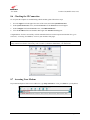
Checking the IP Connection ....................................................................................................................31
8.7
Accessing Your Modem ..........................................................................................................................31
BASIC CONFIGURATION ................................................................................................................................33
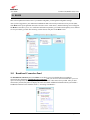
10. HOME ..................................................................................................................................................................34
10.1
Broadband Connection Panel...................................................................................................................34
030-300564 Rev A
2
August 2009