1
Total Access 1248 Quad T1 IMA 48-Port DSLAM with Modem Installation and Maintenance Practice
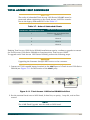
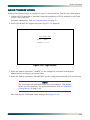
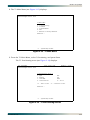
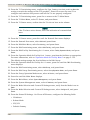
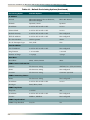
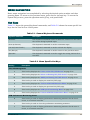
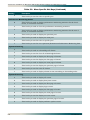
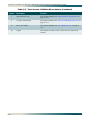
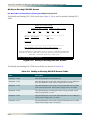
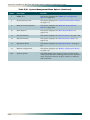
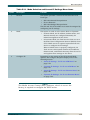
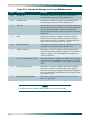
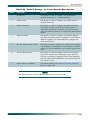
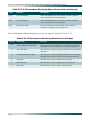
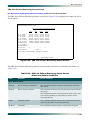
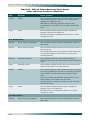
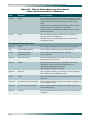
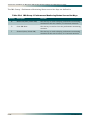
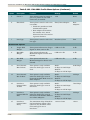
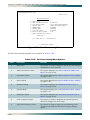
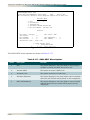
Table 5-2. Menu Specific Hot Keys (Continued)
Hot Key
Description
P
This hot key is used to display the previous port.
N
This hot key is used to display the next port.
S
This hot key is used to select a specific port.
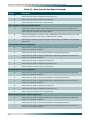
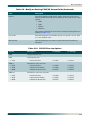
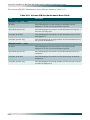
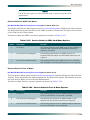
Auto Upgrade Configuration (AUC) Status
C
This hot key clears all the status information from the menu and updates the
Status Information Cleared: field with the date and time that the action occurred.
This hot key is available in all AUC modes.
R
This hot key initiates a retrieve of the configuration file from the file server. This
hot key is available in the Auto and Manual AUC modes.
S
This hot key starts the upgrade process. This hot key is available in the Manual
AUC mode.
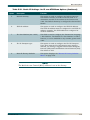
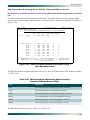
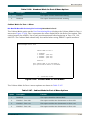
T1 Performance Monitoring Status
B
This hot key is used to display performance monitoring statistics for the last 2
hours, in 15 minute intervals.
C
This hot key is used to clear the performance monitoring statistics.
F
This hot key is used to display performance monitoring statistics for the next 2
hours, in 15 minute intervals.
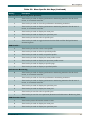
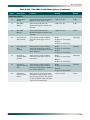
N
This hot key is used to display the next port.
P
This hot key is used to display the previous port.
S
This hot key is used to select a specific port.
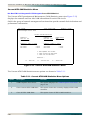
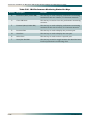
E1 Performance Monitoring Status
B
This hot key is used to display performance monitoring statistics for the last 2
hours, in 15 minute intervals.
C
This hot key is used to clear the performance monitoring statistics.
F
This hot key is used to display performance monitoring statistics for the next 2
hours, in 15 minute intervals.
N
This hot key is used to display the next port.
P
This hot key is used to display the previous port.
S
This hot key is used to select a specific port.
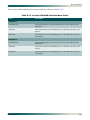
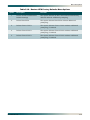
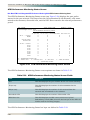
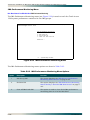
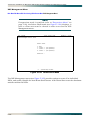
IMA Group Performance Monitoring Status
5-6
B
This hot key is used to display performance monitoring statistics for the last 2
hours, in 15 minute intervals.
C
This hot key is used to clear the performance monitoring statistics.
F
This hot key is used to display performance monitoring statistics for the next 2
hours, in 15 minute intervals.
61179641AL1-5C