1
About
Sonnetech
Colorific®/
3Deep
Colorific
Colorific color management software is the industry-standard process for monitor-to-monitor
and monitor-to-printer color management. It gives you accurate, predictable color-matching
between your screen and printer or over the Internet by calibrating the colors on your monitor.
The software leads you through a series of simple choices about what you see on your screen.
From this information, Colorific builds a precise description of how your monitor displays
color, taking into account variable viewing conditions, monitor control settings, and video card
adjustments.
Running Colorific
You should calibrate with Colorific before doing critical color work and whenever you change
monitor color settings.
T If your monitor has a color temperature control, adjust it to 5000 K or 6500 K to get the best
results.
T When printing to an inkjet printer, it is best to use special coated paper.
To run Colorific in Windows 95, Windows 98 and Windows NT 4.0
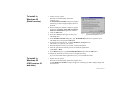
1. Click the Colorific Control Panel icon in the taskbar.
The Display Properties dialog box appears.
2. Click the Colorific tab.
3. Click the Recalibrate button.
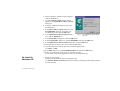
The Colorific calibration utility is opened.
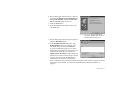
4. Follow the instructions on the screen to complete the process.
Product Guide 13