1
View your clock functions with mode button
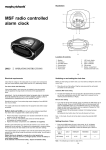
Your clock is designed to view its varied functions by pressing mode button (8)
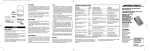
Please see below chart for reference:
Auto run (real time) mode
Review the world time
Set clock (real time)
Set City (real time)
Set Date (real time)
set alarm 2
Set alarm 1
NOTE: When no button has been pressed for 15 seconds and is not in auto run mode
your unit will switch back into auto run mode automatically.
Setting the time and date for real time
1
2
3
4
5
6
Press the mode button (8) and the current real time will be flashing.
Press forward button (14) or backward button (15) to change the setting by 1
minute per step. Press and hold the forward or backward button (for
approximately 3 seconds) to change the setting in fast mode of 10 minutes per
step.
Press the mode button (8) again to confirm the current setting and enter into the
date setting mode.
Press the forward button (14) or backward button (15) to change the setting by
1 day per step. Fast setting as above. (The date will be flashing in the LCD when
setting).
Press mode button (8) 3 times to confirm the current setting and enter into real
time city setting mode. Press the forward button (14) or the backward button
(15) to change the setting.
Press mode button (8) several times to return to auto run mode.
The clock will reset itself to the correct time at the following times 12:00, 01:00,
02:00 and 03:00 when in auto mode.
6