1
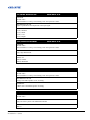
(TMG) TIMING DETECT MODE
READ/WRITE: R/W
SUBCODE
<No Sub code>
Allows modifiers “n” and “p” for selecting “next” and “previous” values
DESCRIPTION OF USE
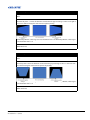
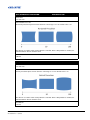
Select timing detection mode to wide or normal. It is used to support additional PC timings. When the
projected picture is not completed, this function is used to adjust the picture. “Normal mode” can
support all of the 4:3 input sources. “Wide mode” can support all of the 16:9 input source & most of
the 4:3 input source. For those 4:3 input sources not recognized by "Wide mode" (example
1400 x 1050), perform Auto Image using “normal mode”.
EXAMPLES:
(TMG0) : Normal
(TMG1) : Wide
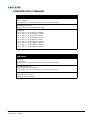
(MIF) MAIN (SINGLE) SOURCE INFO
READ/WRITE: READ ONLY
SUBCODE
ACTS : Get Active Source
SGFT : Get Signal Format
APRT : Get Aspect Ratio.
RESL : Get Resolution.
VREF : Get Vert Refresh.
HREF : Get Horz Refresh.
PIXC : Get Pixel Clock.
SYNC : Get SYNC Type
CLSP : Get Color Space.
DESCRIPTION OF USE
Shows the setting of the current source of the main image.
EXAMPLES:
(MIF+RESL?) - Return the main image resolution.
E Series 675/775 Serial Commands Technical Reference Information
020-000576-01 Rev. 1 (10-2012)
41 of 53