1
Installation Guide
Creative DSL USB 7410
RFC1483
3. APPENDIX
Purpose of this section
This section provides additional information in regards to your Creative DSL USB 7410.
The appendix is organized as follows:
3.1
3.2
3.1.
Appendix A - DSL Status Icon
Appendix B - Troubleshooting
Appendix A – DSL Status Icon
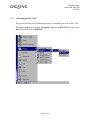
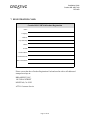
The ‘DSL Status’ icon is located at the lower right hand corner of your screen in the
System Tray as shown below.
Your Desktop Windows System Tray
Status
Description
Black top icon & Green bottom icon
Flashing Yellow top icon & Black bottom icon
Red cross through DSL Status icon
Indicates modem is connected
Indicates modem is handshaking
Indicates modem is unconnected
Page 25 of 40