1
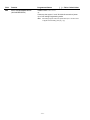
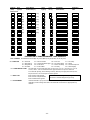
Field
Function
Programmed Values
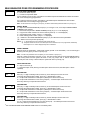
ZONE SOUNDS AND TIMING (✱ 31– ✱ 39)
✱31
SINGLE ALARM SOUNDING/ZONE
[ ] = Table 1 Default Values
† [0]
1 = yes, limit once per arming period (also applies to long range
radio output if “0” is selected in ✻91 field); 0 = no limit
UL installations = 0
✱32
FIRE SOUNDER TIMEOUT
✱33
ALARM BELL TIMEOUT
† [0]
0=timeout; 1=no timeout
† [1]
0 = none; 1=4 min; 2=8 min; 3=12 min; 4 = 16 min
UL installations = 1 (4 min) minimum
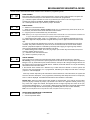
✱34
EXIT DELAY
† [70]
|
00-99 = exit delay time (in seconds).
UL installations = 60 seconds max.
✱35
ENTRY DELAY 1 (zone type 01)
† [30]
|
00-99 = entry delay time (in seconds);
UL installations = 45 seconds max.
✱36
ENTRY DELAY 2 (zone type 02)
† [60]
|
00-99 = entry delay 2 time (in seconds);
UL installations = 45 seconds max.
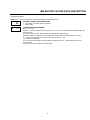
✱37
✱38
AUDIBLE EXIT WARNING /
QUICK EXIT
CONFIRMATION OF ARMING DING
† [1, 1]
Exit Warn Quick Exit
0 = no; 1 = yes
† [0]
0 = no; 1 = yes (when armed by self-contained keypad or RF)
2 = yes (when armed by RF keypad only).
✱39
POWER UP IN PREVIOUS STATE
† [1]
0 = no; 1 = yes; UL installations = 1
† Entering a number other than the one specified may give unpredictable results.
DIALER PROGRAMMING (✱ 40– ✱ 53)
In fields ✱40, ✱41, ✱42, enter up to the number of digits shown. Enter 0–9; #+11 for '✻'; #+12 for '#'; #+13 for
a pause.
✱40
PABX ACCESS CODE
Enter 6 digits. If fewer than 6 digits are entered, pressing ✻
advances to the next field. To clear entries from field, press ✻40✻
✱41
PRIMARY PHONE NUMBER
Enter up to 20 digits; Do not fill unused spaces. If fewer than 20 digits
entered, pressing ✻ advances to the next field. To clear entries from
field, press ✻41✻.
-4-