1
Chapter 3: Installation
iz
ar
3.2.2.3 Link connections
K
V
d
VI
DM
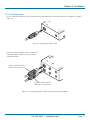
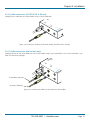
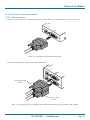
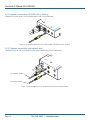
1 Connect the link cable (see Overview page for cable advice) to the remote module socket labeled TO LOCAL as shown in Figure
3-17:
E
/ UX
T
S BE
N
S RD
E
X
R
TO
K
LIN
L
CA
LO
ON
Figure 3-17. Attaching the CATx link cable
tc
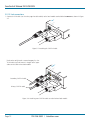
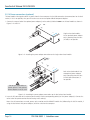
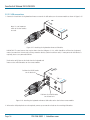
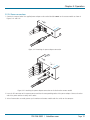
[Dual-variant only] Attach a second category 5e, 6 or 7a link
cable (up to 60 metres in length) to the upper socket on the
dual-variant remote module.
K
h™
WB
O
iz
X
ar
K
V
d
DV
M
I /E
X
U
T
S BE
N
S RD
E
X
R
TO
K
LIN
L
CA
LO
ON
B
A
Secondary CATx link cable
Primary CATx link cable
Figure 3-18. Attaching the CATx link cables to the dual-variant remote module
724-746-5500 | blackbox.com
Page 17