1
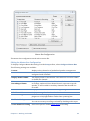
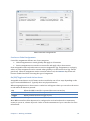
Registration If you have purchased a license for Cantabile, you would also have received an email containing your registration details and instructions on how to download the software. The first time you run the software you will be asked to enter these registration details. Wherever possible use copy/paste to enter these details. Installation To install Cantabile, simply run the downloaded setup program. You will be prompted for some basic details and the software will be automatically installed. Cantabile also supports “xcopy deployment” where you can simply copy the executable file to another machine or location and it will run successfully. Cantabile is not dependant on any other DLL files or other files - other than those included in the operating system itself. If deploying Cantabile in this way, file associations can be created and removed using the appropriate buttons in General Options. Compatibility with Cantabile 1.2 Cantabile 2.0 will upgrade and load session files, quick sessions and most settings from Cantabile 1.2. Files created by Cantabile 2.0 are cannot be loaded by Cantabile 1.2. If Cantabile opens a session file from 1.2 you will be prompted before it is overwritten by the new Cantabile 2.0 session file. Copyrights and Credits The following copyright and technology acknowledgements apply to this product: 6 Cantabile (the software product) and this User Guide are Copyright © 2006-2009 Topten Software. All Rights Reserved VST Plugin Interface Technology by Steinberg Media Technologies GbmH ASIO Interface Technology by Steinberg Soft- und Hardware GbmH Chapter 1 - Introducing Cantabile