1
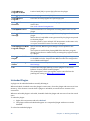
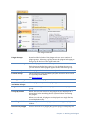
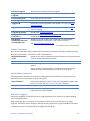
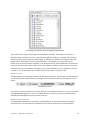
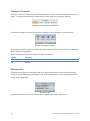
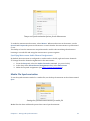
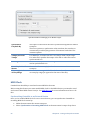
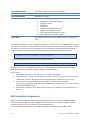
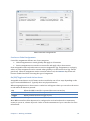
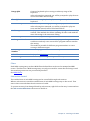
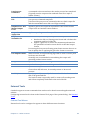
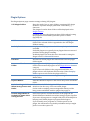
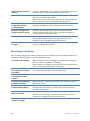
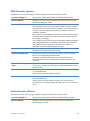
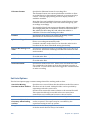
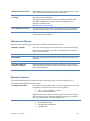
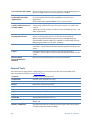
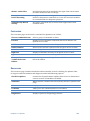
Home Tab Tools configured with this option appear in the Tools drop down on the main window Home tab. MIDI Files Specifies a command that applies to MIDI files. Tools configured in this way appear in the right click context menu of MIDI media files and MIDI files in the recordings list. Audio Files Specifies a command that applies to audio files. Tools configured in this way appear in the right click context menu of MIDI media files and MIDI files in the recordings list. The MIDI and Audio file tools can be used to setup external editors for these file types. The variable $(SelectedMediaFile) should be used as a placeholder for the filename of the file that was clicked on. Engine Start/Stop By default, Cantabile’s audio engine starts automatically. You can use the Stop Engine command however to stop all processing of audio, MIDI and loaded plugins. Stopping the engine can be useful in these situations: The stability of the system seems to be suffering and you want to close and re-open all hardware devices. You need to run another application that needs access to the devices that are currently in use but you don’t want to close Cantabile. The engine is automatically stopped and restarted when displaying Options and the Master Bus Configuration window. You can also remotely invoke a restart of the audio engine through MIDI Controller Assignments. Alternate Configurations Cantabile supports alternate configurations, where each configuration stores a separate set of global settings including audio driver, VST directories, MIDI configuration etc... Multiple configurations are useful for: Running multiple instances of Cantabile with different audio configurations. Supporting different VST directories - eg: a "test" configuration for testing new plugins and a "production" configuration for trusted plugins. Different MIDI configurations. Any other situation that requires quickly switching between different configurations. To specify which configuration to load, use a command line argument in the following form: cantabile20.exe /config:[i]<configname>[/i] For example, to launch Cantabile with a configuration named "Test Environment" use the following command line: 94 Chapter 11 - Other Features