1
Using the Monitor
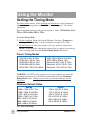
Setting the Timing Mode
The timing mode consists of the resolution and refresh rate (vertical frequency).
After setting the timing mode, use the OnView® controls (pages 7-12) to make
adjustments.
The recommended timing mode for this monitor is either: VESA 1024 x 768 @
75Hz or VESA 1600 x 1200 @ 75Hz.
To set the Timing Mode:
1 Set the resolution: Right-click on the Windows® desktop > Properties >
Settings > Desktop Area > set the resolution (example 1024 x 768).
2 Set the refresh rate: See your graphic card's user guide for instructions.
NOTE: To minimize the adjustments required for an optimal screen image,
select a timing mode from the Preset Timing Modes table below.
Preset Timing Modes
VGA 640 x 400 @ 70Hz
VESA 640 x 480 @ 75Hz
VESA 800 x 600 @ 75Hz
VESA 800 x 600 @ 85Hz
VESA 1024 x 768 @ 75 & 85Hz
VESA 1280 x 1024 @ 75 & 85Hz
VESA 1600 x 1200 @ 75Hz
Macintosh® 832 x 624 @ 75Hz
Macintosh 1024 x 768 @ 75Hz
Macintosh 1152 x 870 @ 75Hz
WARNING: Do NOT set the graphics card in your computer to exceed the
maximum refresh rate for each resolution shown below in the Maximum
Refresh Rates table. Doing so may result in permanent damage to your
ViewPanel.
Maximum Refresh Rates
Analog
1600 x 1200 NI @ 77Hz
1280 x 1024 NI @ 89Hz
1152 x 870 NI @ 104Hz
1024 x 768 NI @ 118Hz
832 x 624 NI @ 143Hz
800 x 600 NI @ 148Hz
640 x 480 NI @ 180Hz
Digital
1280 x 1024 NI @ 85Hz
1152 x 870 NI @ 104Hz
1024 x 768 NI @ 118Hz
832 x 624 NI @ 143Hz
800 x 600 NI @ 148Hz
640 x 480 NI @ 180Hz
(NI= Non Interlaced)
6
Using the Monitor
ViewSonic PF77