1
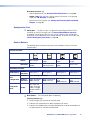
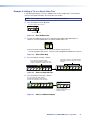
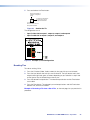
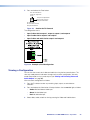
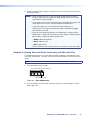
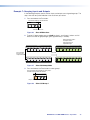
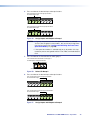
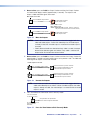
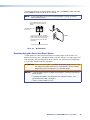
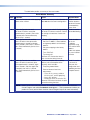
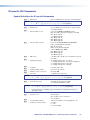
The table below provides a summary of the reset modes.
Reset Modes Summary
Mode
Activation
Result
Purpose/Notes
1
Hold in the Reset button while applying Restores the factory-installed firmware. It
power to the switcher.
does not clear the current configuration.
3
Hold in the Reset button until
the Reset LED blinks once (after
approximately 3 seconds); then within
1 second press Reset momentarily
(for less than 1 second) .
Turns events on and off. During resetting, Mode 3 is useful
the Reset LED flashes two times if events for troubleshooting.
are starting or three times if events are
stopping.
4
Hold in the Reset button until the
Reset LED blinks twice (once after
approximately 3 seconds and again
after 6 seconds); then within 1 second
press Reset momentarily (for less than
1 second).
• Enables ARP capability.
• Sets the IP address, subnet address,
and gateway address to the factory
defaults.
• Sets port mapping to the factory
default.
• Turns DHCP off.
• Turn events off.
Mode 1 can be
used to remove a
version of firmware
if incompatibility
issues arise.
Mode 4 enables
you to set
IP address
information using
ARP and the MAC
address.
It does not replace
any user-installed
firmware.
The Reset LED flashes four times in
quick succession during the reset.
5
Hold in the Reset button until the
Reset LED blinks three times (once
after approximately 3 seconds, again
after 6 seconds, and then again after
9 seconds); then within 1 second
press Reset momentarily (for less than
1 second).
Performs a complete reset to factory
defaults (with the exception of the
firmware), which includes:
• Everything mode 4 does
• Reset of almost all real time
adjustments:
Mode 5 is useful
if you want to
start over with
configuration and
uploading and also
to replace events.
Clears all ties, presets, audio or
RS-232 mutes, and I/O grouping.
• Resets all IP options.
• Removes or clears all switcher files.
The reset LED flashes four times in quick
succession during the reset.
•
NOTE: Mode 5 reset clears most adjustments. To save these settings, use the Matrix Switchers
Control Program and select Save MATRIX settings as... from the File menu before you
perform this reset (see the Matrix Switcher Control Program help file for more information).
DXP DVI Pro and DXP HDMI Series • Operation
41