1
RECORDING VIDEO CLIPS ......................................... 39
REVIEWING IMAGES AND VIDEO CLIPS .................... 40
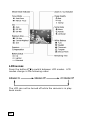
Using the LCD display .................................................40
Playback mode ...........................................................41
Using index display .....................................................42
Activating digital enlargement ......................................43
Using the playback menu.............................................44
Recording audio clips for still images .............................45
Displaying a slide show ...............................................46
Deleting all pictures ....................................................46
Setting DPOF (Digital Print Order Format)......................47
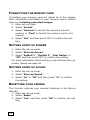
Rotating the images ....................................................47
Folders ......................................................................47
Protecting pictures and video clips ................................48
Copy/move images & video clips...................................48
Selecting a start-up screen photo .................................49
Displaying images on a TV ...........................................49
TRANSFERRING IMAGES TO A PC .............................. 50
Software installation ...................................................50
Installing the camera software ........................................... 51
Connecting the digital camera to a PC ...........................51
Transferring images .......................................................... 52
TIPS AND TRICKS...................................................... 53
Using camera batteries and rechargeable batteries ........53
Using the memory card ...............................................53
Care of the LCD display ...............................................54
Using the digital camera ..............................................54
CUSTOMER CARE ....................................................... 55
Troubleshooting..........................................................55
Driver support ............................................................57
Additional support.......................................................57
Warranty ...................................................................58
Making copies of this manual .......................................60
iv