1
PC400 Terminal Installation & User’s Guide - 13
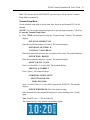
Note: The first time the PC400/PC400TX is powered up it will go into the Terminal
Setup Mode automatically.
Terminal Setup Mode
Use the terminal setup mode to set the time, date, baud rate and terminal ID # for the
terminal.
*NOTE* You can exit the terminal setup mode at any time by pressing the [*] Exit key.
To start the Terminal Setup Mode
♦ Press 729255 on the keypad to enter the “Terminal Setup” function. The terminal
displays
ENT.DATE: MM-DD-YYYY
Enter the current date and press # [enter]. The terminal displays
ENTER DAY-OF-WEEK: D
1=SUNDAY..7=SATURDAY
Enter the number that represents the current day of the week. The terminal displays
ENTER TIME: HH:MM
Enter the current time and press # [enter]. The terminal displays
SELECT [0] PM / [1] AM
Press 0 to select PM or 1 to select AM. The terminal displays
PRESS [#] IF CORRECT
Press # [enter]. The terminal displays
COMMUNICATIONS SETUP
SELECT BAUD RATE:
[2]400 -OR- [9]600
Press 2 to select 2400 or 9 to select 9600 (required for PC400TX). The terminal
displays
ENTER TERM ID# 049 (049 is the default setting)
Enter the number for the terminal ID and press # [enter] and then press # [enter]
again.
Note: Valid ID’s are 1 – 250 excluding 58.
The terminal will go to the normal time and date display