1
PF Series Instruction Manual
ADDITIONAL FEATURES
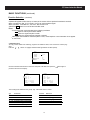
Time Setting
In the Standby or Power On mode, the TV can automatically complete some functions such as power -on,
channel preset and power-off as desired.
Timer
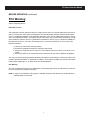
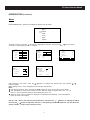
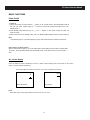
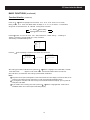
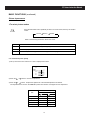
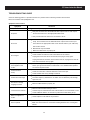
1 . Press the TIMER button to turn on the Timer menu display as shown right.
2 . Press the
3 . Press the
/
Time
buttons to select an adjustment.
/
On Time
buttons to adjust the selection.
For example, now it is 6:00PM, you have set On Time, On Channel and Off
On Channel
Time to 7:00PM, 22 and 8:00PM respectively. The TV will automatically per-
Off Time
form the above settings in the Standby or Power On mode.
Timer
Notes:
1 Only after setting “Time”, can you set other items.
Time
6:00PM
On Time
7:00PM
On Channel
Off Time
Childlock
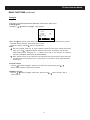
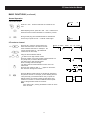
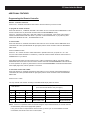
The CHlLDLOCK function prevents chiIdren from watching TV.
HoId down the F button and then press the MUTE button until the symboI “
”
appears on the screen, and the TV enters the CHlLDLOCK mode.
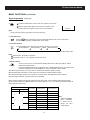
Except for the symboI“
you press the
”, the screen becomes blue back and mutes when
buton to turn the TV off, then turn the TV on after setting the
CHILDLOCK function. To unlock the TV, hoId down the F button and then press
the MUTE button again.
Note:
The CHlLDLOCK can be set or cancelIed only by the remote controI. After setting CHlLDLOCK, secure
the remote control in a safe place.
21
22
8:00PM