1
Installing the 7782 Access Point in the Field
Mounting the Access Point
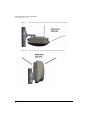
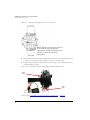
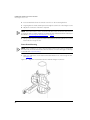
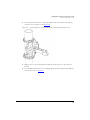
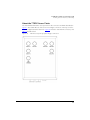
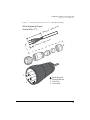
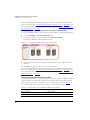
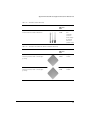
2. If required, then push one of the four 0.250-28 bolts with washers through the safety
cable eye end as shown in Figure 22.
Figure 22.
AP
Mounting
Bracket
Attaching the safety cable and mounting bracket to the Access Point
Access
Point
Safety
Cable
Eye
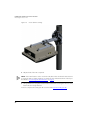
3. Insert four 0.250-28 bolts with washers (supplied with the AP) into the screw holes on
the AP mounting bracket.
4. Using a 7/16” wrench, tighten the four bolts to secure the AP mounting bracket to the
AP. Bolt torque value must be 2.5-3.0 N.m or 22-27 in-lbs.
You have assembled the AP and its AP mounting bracket. Continue with Attaching the AP
and Mounting Bracket Assembly to the Hanger Mount.
40





![[ PDF ] 全ページ一括(2.1MB)](http://vs1.manualzilla.com/store/data/006718108_2-517d4f1f4345d16e2d64328e505fdb32-150x150.png)