1
Introduction
ETC’s VCC-28 USB programmable microphone is designed to integrate with Twisted Pair
Solutions’ WAVE Dispatch Communicator. In conjunction with a wireless headset and phone, the
VCC-28 not only allows an operator to access all the functions of a dispatch software, but provides
multiple hardware features. This powerful tool has five mechanical/hardwired keys to allow
toggling between modes, twelve software hot-keys to control panel functions, and twelve software
hot-keys that are user programmable while in WAVE. Features include the following:
•
•
•
•
•
•
•
•
•
•
•
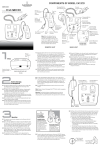
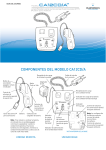
RJ-9 ports for Phone and Handset
RJ-25 port for a Wireless Headset Device (such as Plantronics CA12CD)
Speaker Out Jack
Foot Switch Input Jack
Record Out Jack
USB 1.0 or 2.0 compliant port
Enumeration LED
Record Out Switch for recording options
Microphone
Speaker Volume Control Knobs
Speaker Activity Indicator LEDs
This guide will cover configuring the VCC-28 in Windows XP Pro, Windows 7, and WAVE Dispatch
Communicator (the basics only). Linux is noted in this manual, although the VCC-28 has not been
tested with it. The key/functions described in this manual assume WAVE Dispatch Communicator
to be installed and running. The screen shots in this guide were taken with a VM-4; your screens
will show a VCC-28 device name.
IMPORTANT: Windows and USB Sound Device Settings
In Windows OS (all versions through Vista) the sound device is not seen as a removable device.
When a USB sound device is removed, the Registry corrupts. Upon reconnection, Windows
defaults back to the sound device and the settings hard-coded in the chip-set and does not retain
the USB settings. To work around this issue, please see the Appendix Section of this Guide.
In Windows 7, Microsoft addressed the problem of USB sound devices defaulting back to hardcoded levels in the chip-set when they are disconnected and reconnected. The levels set for the
device will remain the same if you unplug it then plug it back in. However, on a computer with
multiple sets of speakers (internal and external), Windows 7 will revert back to whatever speaker it
sees as the default device. Upon reconnecting your ETC equipment, the system will recognize it
but may not choose it as the active device. If your system does not see the ETC equipment as the
default sound device, you still need to choose it each time the USB cable is disconnected.
VCC-28 Installation Guide with WAVE
Page 3 of 33
Essential Trading Systems Corp.