1
Connecting
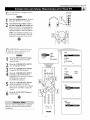
HD INPUT-AV 4 and HD 1NPUT-AV 5
acks al!ow you to digital equipment with
1080i or 480p signal output.
Accessory
Devices
to Your TV
_jle
ANTENNAIN_S_
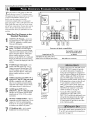
WhatYou Can Connect to the
High-definition Input Jacks
RearofTV
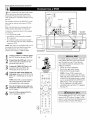
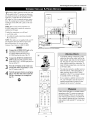
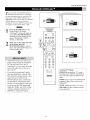
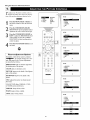
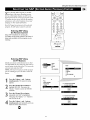
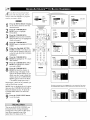
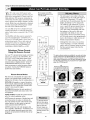
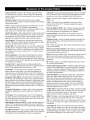
HD INPUT-AV 4_use to connect digital equipment with a 1080i or a 480p
signal output, such as HD receivers
(1080i or 480p) or DVD players with
progressive-scan capability (480p). You
can connect equipment with YPbPr
component video or RGB ouq_uts to the
HD INPUT-AV 4 jacks, H and V Sync
connections may or may not be required
for RGB connections, (See page 57,)
Dedicated audio input jacks are located
with the HD INPUT-AV 4 video jacks,
I-I®*®l,l®.®
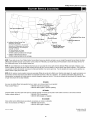
Summary
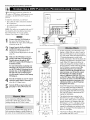
of signal compatibilities
NOTE: The Picture-in-Picture (PIP) feature
does not function with AV 4,
2
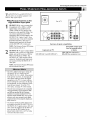
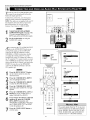
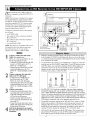
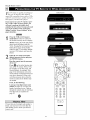
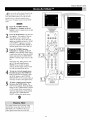
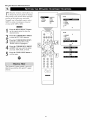
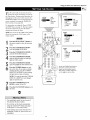
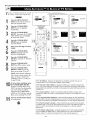
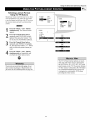
HD IN PUT-AV _-use lo connect digital
equipment wilh a I080i or a 480p signal
output, such as HD receivers (I080i or
480p) or DVD players (480p). The
HD IN PUT-AV 5 jack accepts a DB15
connector, Dedicated audio input jacks
are located with lhe HD INPUT-AV 5
video jack.
NOTE: The Picture-in-Picture (PIP) feature
does not function with AV5,
¸:H ;
iiiiiiiiiiii IN ii i!
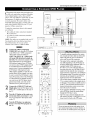
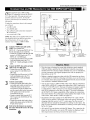
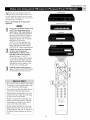
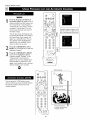
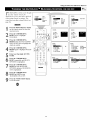
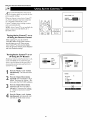
• The TV's default color-space setting for
HD INPUT-AV 4 is YPbPr, and for
HD INPUT-AV 5 it is RGB. If the picture
looks grossly incorrect, try changing the
color-space setting on either the digital
equipment or the TV, For more information on setting the color space on the digital equipment, see the equipment's directions-for-use manual, To set the TV's
color space, see page 59 in this manual.
• This television is designed to be compatible
with high-definition signal standards i080i
and 480p as specified by the Electronic
Industries Association standard EIA770.3,
Because output standards may vary by manufacturel; you may encounter some digital
equipment that will not pl'operly display pictures on the TV.
• The Picture-in-Picture (PIP) feature does
not function with the HD INPUT-AV 4 or
HD INPUT-AV 5 signal sources. AV4 and
AV5 cannot be displayed in the PIP window, nor can the PIP window be displayed when either AV4 or AV5 is being
viewed on the main screen.
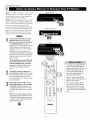
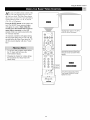
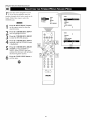
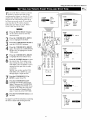
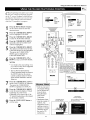
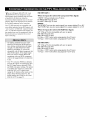
from
Input jacks on TV
HD INPUT-AV
4 and HD INPUT-AV
an
external
SOUPce
or device
5
1080i (1080
Compatible
lines, interlaced)
output or
signal
480p (480 lines, progressive scan)