1
DESCRIPTION Page
14
|
41
Operating guide for Alarm Receiver DECRYPTA 3
-
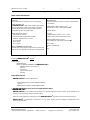
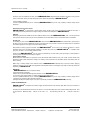
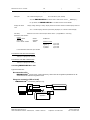
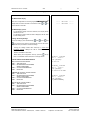
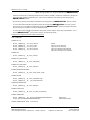
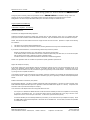
Using only one connection: DECRYPTA3 connected by Serial port only
Decrypta3
SERIAL
COM PORT
ACK
WSReceiver
application
COM1: Physical COM port
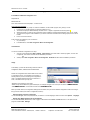
Using both connections (USB and Serial)
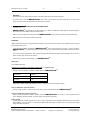
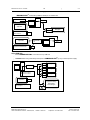
IMPORTANT: For flexibility of operations the signal received by the card can be acknowledged from either
USB or Serial connection. Therefore it is very important, when using both USB and serial connection, to
acknowledge signals ONLY from the main connection to the receiving software, and not from the
secondary one used for logging.
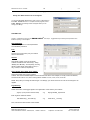
When connected in this fashion, Decrypta 3 will be seen by the PC as two COM ports. One, the serial
connection, is the physical COM port (ranged COM1 to COM4 usually depending on the number of
available serial ports). Another connection, through USB, is a ”virtual” COM port (can be in the range
COM5 to COM256). Both COM ports can be used to input signals to the PC, therefore one COM port can
be used to connect to PC receiver software, and the other port for logging or monitoring of signals.
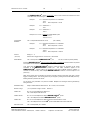
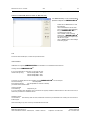
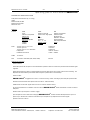
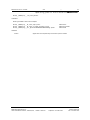
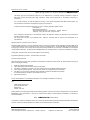
DECRYPTA3 connected by USB and serial port on same PC
USB
USB
COM
PORT
SERIAL
Decrypta3
COM1: Physical COM port
COM7: Virtual COM
port
WSReceiver
application
ACK
ACK
Main connection
MCDI Security Products Inc..
7055 Jean-Bourdon Avenue, Montreal, QC, Canada H4K 1G7
TrafficLogger
application
Secondary logging connection:
signals NOT acknowledged
Telephone: +514-481-1067
Internet: mcdi.com
Fax: +514-481-1487