1
TABLE OF CONTENT Page
1
|
41
Operating guide for Alarm Receiver DEC RYPTA 3
CONTENTS
Description................................................................................................................................................................................................ 2
What’s in the box .................................................................................................................................................................................. 2
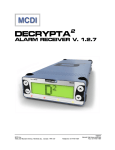
Physical description of DECRYPTA 3 ........................................................................................................................................ 2
Size .................................................................................................................................................................................................... 2
Buffer memory ................................................................................................................................................................................... 2
Buzzer Alert/Warning......................................................................................................................................................................... 2
Powering DECRYPTA 3 receiver ................................................................................................................................................... 4
Configuring DECRYPTA3 receiver ............................................................................................................................................... 7
MCDI winExprecium2.exe .................................................................................................................................................................... 7
MCDI Axe configurator 0.1.0 ................................................................................................................................................................ 7
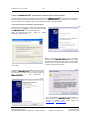
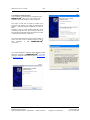
Installation .......................................................................................................................................................................................... 8
Un-Installation .................................................................................................................................................................................... 8
Usage ................................................................................................................................................................................................. 8
Starting other MCDI software from Axe .......................................................................................................................................... 10
Logger tool ......................................................................................................................................................................................... 10
Parameter definitions .......................................................................................................................................................................... 11
Transmission rate................................................................................................................................................................................... 13
Transmission rate Serial port.............................................................................................................................................................. 13
Transmission rate USB port ............................................................................................................................................................... 13
Connecting DECRYPTA3 to PCs................................................................................................................................................ 13
Front panel commands and displays..................................................................................................................................................... 16
Toolbox ................................................................................................................................................................................................... 21
Configuration tools .............................................................................................................................................................................. 21
Communication tools .......................................................................................................................................................................... 21
Software tool COMIRQ .................................................................................................................................................................... 21
Software tool WINCOMM ................................................................................................................................................................ 22
DOS Not available............................................................................................................................................................................... 22
LINUX .................................................................................................................................................................................................. 22
MACINTOSH....................................................................................................................................................................................... 23
WINDOWS .......................................................................................................................................................................................... 23
Receiving ................................................................................................................................................................................................ 27
Listen-in, Two way voice..................................................................................................................................................................... 27
Transmission to computer and printer in MCDI mode ....................................................................................................................... 28
Transmission to computer and printer in ADEMCO 685 / Surgard emulation mode........................................................................ 30
Messages from DECRYPTA3 to DECRYPTA3 printer port: ....................................................................................... 31
Warranty ................................................................................................................................................................................................. 31
Legal compliance and Warning ............................................................................................................................................................. 32
United States Regulation FCC Warning......................................................................................................................................... 32
EC Declaration of Conformity ............................................................................................................................................................. 33
EN41003 Warning Application Note 48, Issue 5................................................................................................................................ 34
Glossary.................................................................................................................................................................................................. 35
Version 070710
MCDI Security Products Inc..
7055 Jean-Bourdon Avenue, Montreal, QC, Canada H4K 1G7
Telephone: +514-481-1067
Internet: mcdi.com
Fax: +514-481-1487