1
Problem
1Cause
1Solution
Mouse pointer flickers or disappears when it’s over a video window
You may be using a customized mouse pointer. Windows draws customized mouse pointers
in a way that may cause them to flicker or disappear while they’re over a video window.
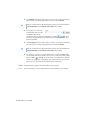
Windows 2000/XP/Vista – Use default Windows mouse pointers:
1
Windows 2000/XP – Click Start Æ Settings* Æ Control Panel Æ Printers and Other
Hardware* Æ Mouse (double-click*). (* Depending on your version and configuration
of Windows, this part of the step may not be necessary.)
Windows Vista – Click Start Æ Settings* Æ Control Panel Æ Hardware and Sound* Æ
Mouse (double-click*). (* Depending on your version and configuration of Windows,
this part of the step may not be necessary.)
2
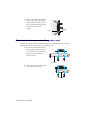
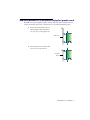
Click the Pointers tab.
3
In the Scheme box, select (or reselect) “(None)”, then click OK.
DVD
The following troubleshooting items address problems related to DVD. (For general video-related
troubleshooting items, see “Video”, page 33.)
Problem
1Cause
DVD video playback is jerky (skipping frames)
Your DVD drive may be too slow.
1Solution
If your DVD drive supports DMA transfers, enable this feature (see page 34).
Problem
Can’t play certain DVD videos
1Cause
1Solution
A DVD video may not play back because the region setting on your DVD player doesn’t
match the region code on the DVD-ROM disc. DVD players and videos use region codes to
prevent the playback of video that was intended only for a certain region or market.
To get a copy of a DVD video that’s compatible with the region code of your DVD player,
contact the vendor of that video.
Matrox M-Series – User Guide 35