1
Link/Seg Traps
Configuring Link/Seg Traps for the Repeater
To enable or disable Link and Segmentation traps for all ports on a repeater:
1. In the Repeater Link/Seg Traps window, click mouse button 1 on the repeater
interface for which you would like to configure link and segmentation traps.
2. Click mouse button 1 on
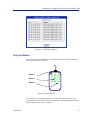
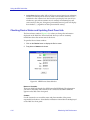
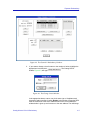
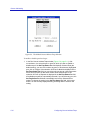
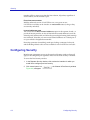
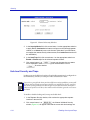
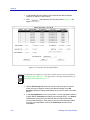
window, Figure 3-2, will appear.
; the Channel X Link/Seg Traps
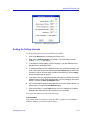
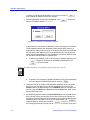
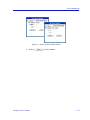
Figure 3-2. Channel X Link/Seg Traps Window
3. In the Link Traps field, click mouse button 1 on the appropriate selection to
Enable or Disable link traps for the repeater.
4. In the Segmenting Traps field, click mouse button 1 on the appropriate
selection to Enable or Disable segmenting traps for the repeater.
5. Click mouse button 1 on
to save your changes; the current status
will be displayed in each field to the right of the field name. Click on
to exit the window.
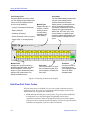
Viewing and Configuring Link/Seg Traps for Hub Modules
To enable or disable Link and Segmentation traps for all ports on the selected hub
module or modules:
1. In the Repeater Link/Seg Traps window, select a repeater interface in the
scroll list.
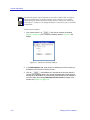
2. Click mouse button 1 on
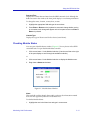
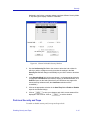
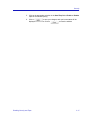
will appear.
3-4
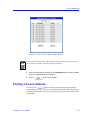
; the module traps window, Figure 3-3,
Enabling and Disabling Link/Seg Traps