1
Appendix A: Introduction to Serial Attached SCSI
●
72
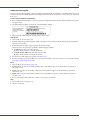
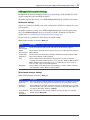
How are Disk Drives Identified in SAS?
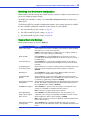
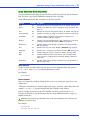
In the BIOS and in the management utilities (see Identifying Disk Drives on page 91), disk
drives are identified in the following formats:
●
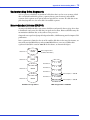
CNX:DevY = Device Y is attached to Connector X (see Direct-attach Connections below for
more information)
●
BoxX:SlotX = Enclosure X is attached to a disk drive in Slot X (see Backplane Connections
below for more information)
●
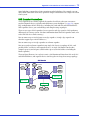
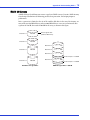
ExpX:PhyX = Expander X is attached to Phy X (see SAS Expander Connections below for
more information)
where X is the count number.
Note: Devices other than disk drives (CDROM, tape drives, etc...) are listed in order after your
system disk drives.
In parallel SCSI, XX is the disk drive’s channel number, YY is the target number, and ZZ is the
logical unit number (LUN).
What are the SAS Connection Options?
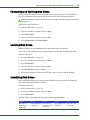
You can connect end devices to each other through direct cable connections and through
backplane connections. When you use one or more expander devices (see page 73), you can
create large configurations.
Direct-attach Connections
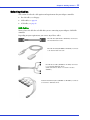
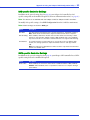
In a direct-attach connection, SAS or SATA disk drives are connected directly to a SAS card
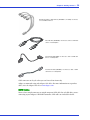
with SAS or mini-SAS cables. One disk drive is attached to one SAS/mini-SAS connector with
one SAS/mini-SAS cable (or multiple disk drives are attached to one SAS/mini-SAS connector
with one fan-out cable). The figure on page 40 shows an example of direct-attach connections.
The number of direct-attached disk drives is limited to the number of phys supported by the
SAS card. (Note that there may be multiple phys within a single connector. See page 73.)
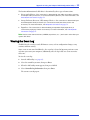
Backplane Connections
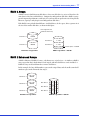
In a backplane connection, disk drives and SAS cards are attached to and communicate with
each other through a system backplane.
There are two types of backplane connections, passive and active. When connecting to either
backplane, it’s important to properly connect your disk drive LEDs in order to identify disk
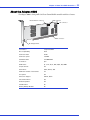
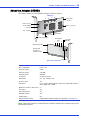
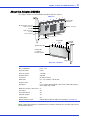
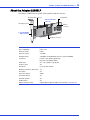
drive conditions. See About Your RAID Controller on page 15 for your RAID controller Activity
LED connections and locations.
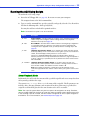
When connecting to a backplane, the Adaptec Storage Manager enables you to manage your
system disk drives, see Monitoring Disk Drives with Adaptec Storage Manager on page 42.
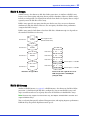
The number of end devices is limited to the number of slots available on the backplane. For
example, the Adaptec S50 enclosure, which contains an expander, is a backplane connection
that supports up to 12 SAS or SATA disk drives.