1
Introduction
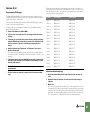
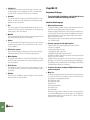
Supported Control Surfaces
This document describes the control surfaces and keyboards that are supported
in Reason version 4. For information about how to set up and use the Remote
functions in Reason version 4, please refer to the Reason version 4 Operation
Manual.
Akai
!
Important about ReGroove:
All descriptions in this manual about control surface parameter
mapping to ReGroove parameters imply that the Master Keyboard
Input (focus) is set to the Transport Track in the main sequencer. If
Master Keyboard Input is set to any other device in the track list, the
Regrove parameters won’t be accessible from the control surface at
that time.
q About keyboard shortcut variations:
If a control surface is said to use keyboard shortcut variations, this
means you can switch variations from the computer keyboard and
change which parameters are controlled by the knobs, sliders or
buttons on the surface. To select a keyboard shortcut variation,
press [Ctrl]-[Alt] (Windows) or [Command]-[Option] (Mac) and one
of the number keys on the main part of the computer keyboard. The
number of variations available depends on the control surface and
which Reason device has Master Keyboard Input in the track list. To
select the default variation, press [Ctrl]-[Alt]-[1] or [Command]-[Option]-[1]. This is done automatically when you change Master Keyboard Input to another device.
Support for new control surfaces will be added continuously. Registered Reason
version 4 users will be able to download new Remote drivers from
www.propellerheads.se.
MPD24
MPD32
MPK49
Alesis
Photon X25
Behringer
BCF2000
BCR2000
CME
UF Series
Doepfer
Drehbank
Pocket Control
Pocket Dial
Pocket Fader
Regelwerk
Edirol
PCR-1
PCR-M1
PCR-300/500/800
PCR-30/50/80/A30
PCR-M30/M50/M80 series
UR-80
3