1
AXIS 5900
Troubleshooting
Troubleshooting
Check the following if you experience problems when trying to print over the WLAN:
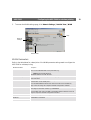
• The Network Mode parameter must be set to Auto Sense or WLAN. This parameter is set on
the admin | General Settings page.
• Your web browser must have Java (JVM) enabled (for the WEP security functionality)
• Check that the WLAN network interface is properly configured in the workstation/laptop try-
ing to access the AXIS 5900 print server.
• All communicating clients must be in the same operating mode, i.e. ad hoc or infrastructure
mode.
Note:
In Macintosh environments, the ad hoc mode is referred to as computer to computer mode and the
infrastructure mode is referred to as Airport network.
• Check that the SSID and the WEP keys are set according to your WLAN network settings. See
WLAN Parameters on page 13 for more information.
• Check that the radio frequency channel setting is the same on all communicating clients and
that the channel is set according to the requirements in your country.
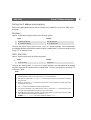
Frequency bands and channels:
Country
Frequency
Available Channels
Default Channel
Europe
2.412-2.472 GHz
1-13
11
France
2.457-2.472 GHz
10-13 (indoor use*)
11
Japan
2.484 GHz
14
14
US/Canada
2.412-2.462 GHz
1-11
11
* (France) outdoor use permitted on private property with prior authorization
21