1
GFU19 Multi-Tech CDMA Modem
Connecting to a Network Using the Multi-Tech CDMA Modem
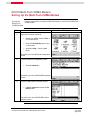
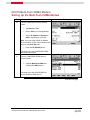
Follow the steps below to connect the GPS1200 sensor to a network using the MultiTech CDMA modem.
Connect with
the Multi-Tech
CDMA modem
Step
1
Action
Display
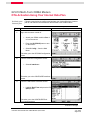
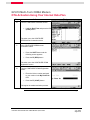
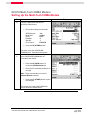
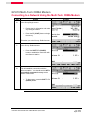
Continuing from the previous section:
•
In the Main Menu select 5 Config…
•
In the Configuration Menu select
4 Interfaces…
•
In the Interfaces Menu highlight RealTime and press the F3 (EDIT) button.
This takes you to the Real-Time Mode
screen.
2
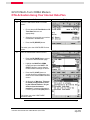
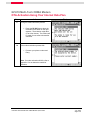
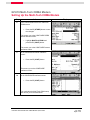
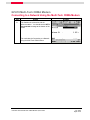
In the Real-Time Mode screen:
•
In the R-Time Mode field, select
Rover.
•
In the Port field, select NET1-3 to
define the port through which you
wish to connect.
•
Press the F1 (CONT) button to save
your settings.
This returns you to the Interfaces screen.
Continued on next page
GPS1200 GFU19 MultiTech CDMA Modem Quick Guide
July, 2005
Page 12/18