1
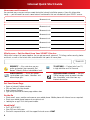
Voice Quick Start Guide
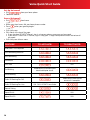
Set Up Voicemail
• Dial
from your home phone.
• Follow the tutorial.
Access Voicemail
• Dial
from home.
— or —
• While away from home, dial your home phone number.
• Press
when your greeting begins.
— or —
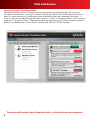
• Visit xfinity.com.
• Click Voice at the top of the page.
• If you also have XFINITY® Internet, sign in using your primary username and password.
• If you do NOT have XFINITY Internet, sign in using your 10-digit home phone number and voicemail
password.
• Visit xfinity.com to learn more.
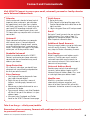
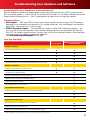
FEATURE
TO ACTIVATE:
TO DEACTIVATE:
Anonymous Call Rejection
Call Forwarding Selective
Call Forwarding
Call Return
Call Trace
Call Waiting
N/A
Automatically activated unless
deactivated prior to call.
Call Screening
Automatically deactivated
once call is complete.
Caller ID Blocking Per Call
Caller ID Blocking Per Line
Call 1-800-XFINITY to activate.
Repeat Dialing
Speed Dial 8
N/A
Speed Dial 30
N/A
14