1
Before you begin
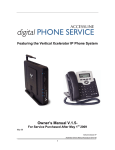
The Xcelerator phone system is designed to use your existing
broadband data connection as well as the existing data wiring in
your office. Where you don’t have data wiring, you may use the WiFi Adapter to connect Desk Phones to the base unit wirelessly. In
order to begin using your new phone system and service, you need
to perform the following two steps:
• Install the base unit and phones.
• Go to www.accessline.com/activate to activate your phone
lines.
When selecting the location for the Base Unit please consider the
following:
•
•
Distance from your existing router - You will need to
connect the Base Unit to your router with the 10’ WAN
cable (one is supplied).
The range of the optional wireless adaptors for the Desk
Phones is 40 feet and should be considered to ensure you
have satisfactory coverage.
Assigning Extension Numbers to Phones
Each phone is assigned an extension starting with 100. Each Desk
Phone box has the phone’s extension number written on the
outside of the box. You should have also received and email from
AccessLine with the phone numbers associated with each Desk
Phone and Cordless Phone
Installing the Base Unit
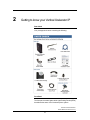
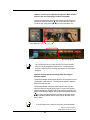
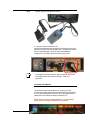
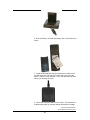
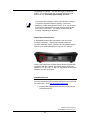
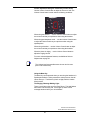
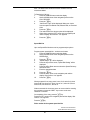
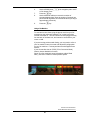
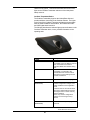
1. Assemble the Base Unit
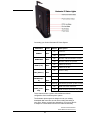
Screw the Wi-Fi antenna (found inside the cardboard tube just
below the hinge of the box) into the top of the base unit and attach
the stand to the bottom of the base unit. Stand the antenna straight
up for optimal coverage.
Antenna
Stand
AccessLine Communications
Owners Manual AccessLine 5-4-10
19