1
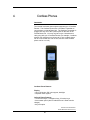
Cordless Phone Key Descriptions
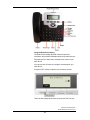
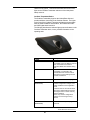
The Cordless Phone has a front keypad as well as some side
keys. These keys can be used to customize your Cordless Phone
as well as make and manage calls.
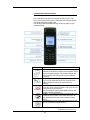
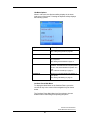
The following table describes the keys on the key panel of your
Cordless Phone.
Keys
Key Description
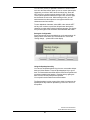
Softkeys - Select from the right and left choices
displayed in the bottom corners of the Cordless Phone
screen using the softkeys. The Cordless Phone idle
screen softkeys are Call log (left key) and Options
(right key).
Green Key - Answer an incoming call with the green
key. From idle mode the green key connects to the
caller or dials the number you have entered or
selected.
Red Key - End calls and exit menus using the red key. The
red key also clears messages display on the screen such as
missed calls and voicemail alerts.
Note- Pressing the red key while within a menu may
exit without saving changes.)
OK Key - Access the Main Menu from idle mode, and
use the OK key to select menu items whenever the
icon appears at the bottom of the Cordless Phone
screen.
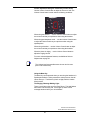
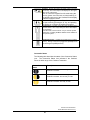
Navigation Keys - Scroll though menu items using the left,
right, top, and bottom navigational keys.
AccessLine Communications
Owners Manual AccessLine 5-4-10
61