1
OMNIScanner User Guide
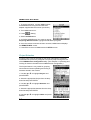
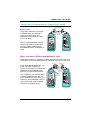
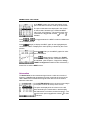
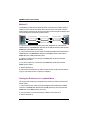
3. Press ESC at any time to cancel the Autotest.
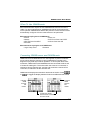
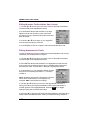
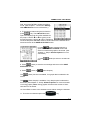
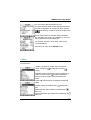
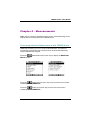
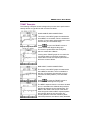
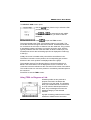
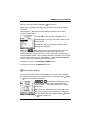
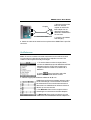
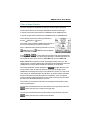
4. The AUTOTEST screen is displayed while
Autotest is running.
The Autotest and the Cable name are displayed
at the top of the screen. A gauge indicates the
test progress. Tests will be listed with their
(PASS) or
individual
as a test is completed.
(FAIL) results as soon
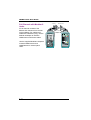
Once all tests were performed, the overall test
Result: is displayed as PASS or FAIL.
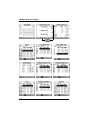
Note: The list of tests varies depending on the
kind of Autotest that was performed.
An Autotest will PASS
if all the selected tests
meet the specified criteria. An Autotest will FAIL
if one or more selected tests failed.
Saving Twisted Pair Autotest Results
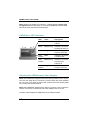
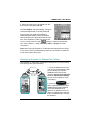
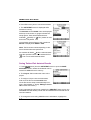
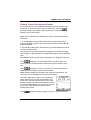
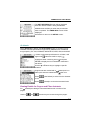
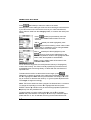
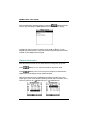
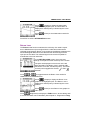
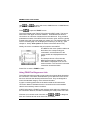
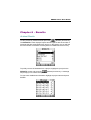
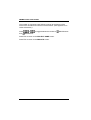
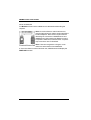
1. Press
(Save) from the AUTOTEST screen to open the SAVE
AUTOTEST screen, where the Autotests can be
stored into OMNIScanner’s memory.
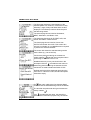
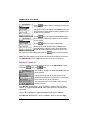
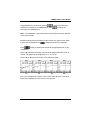
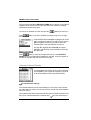
2. The Project: field contains the name of the
project.
3. To assign a unique name to the Autotest,
enter a Circuit ID into the Circuit ID: field.
Circuit IDs can be setup to automatically increment. (See Chapter 3 - Setup: Editing a Circuit
ID for further information.)
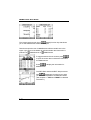
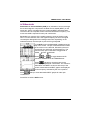
If an incremental Circuit ID was created in the PROJECT Setup screen, the
Circuit ID: field will already contain the next available Circuit ID that can be
used as a default.
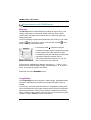
4. To change the name using OMNIScanner’s edit feature, highlight the
2-6