1
Configuration Tasks
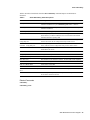
You must have a version of Cisco IOS software installed that supports the GRP redundant processor
feature in a Cisco 12000 series router. Table 1 lists the minimum Cisco IOS software releases and
image names for GRP redundant processor support.
Table 1
Cisco 12000 Series Router Software with GRP Redundant Processor Support
Cisco IOS Software Release
Image Name
Cisco IOS Release 11.2(15)GS2 or
later version of 11.2 GS.
gsr-p-mz.112-15GS2
Cisco IOS Relase 12.0(5)S or later
version of 12.0 S.
Available in 1999
Configuration Tasks Overview
Specific tasks for GRP redundant processor configuration on a Cisco 12000 series router are
described in the following sections:
•
•
•
•
Installing Second GRP and Configuring Hardware Backup Task List
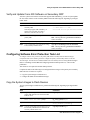
Configuring Software Error Protection Task List
Managing The Primary and Secondary GRP Task List
Monitor and Maintain GRP Redundant Processor Operation Task List
Note Configure redundant operation with a single GRP installed in the router, before installing the
second GRP. This sequence prevents conflicts with older software versions that do not support GRP
redundancy.
Installing Second GRP and Configuring Hardware Backup Task List
When installing a second GRP in a Cisco 12000 series router, complete the tasks in the following
sections. All tasks in the following list are required for configuring simple hardware backup.
•
•
•
•
•
•
•
•
•
8
Verify Cisco IOS Software Version on the Installed GRP
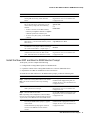
Verify Cisco IOS Software Installed in Bootflash
Install Firmware Upgrades
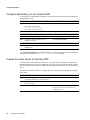
Configure Redundancy on the Installed GRP
Prepare the Flash Device for the New GRP
Install the New GRP and Boot to ROM Monitor Prompt
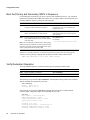
Boot the Primary and Secondary GRPs in Sequence
Verify Redundant Operation
Verify and Update Cisco IOS Software on Secondary GRP
Cisco IOS 11.2(15)GS2