1
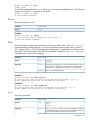
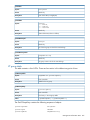
logs
The save logs command creates a tar file that contains the
router’s log data, storing the file in the router’s /var/ftp
directory. When the command has finished executing, you must
FTP the log’s tar file from the blade.
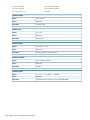
traces
The save traces command creates a tar file that contains the
router’s dump data, storing the file in the router’s /var/ftp
directory. When the command has finished executing, you must
FTP the trace’s tar file from the blade. The system notifies you if
the router does not have any dump data. Each time it generates
dump data, the system adds an event log entry.
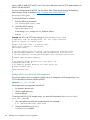
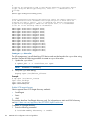
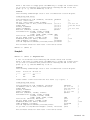
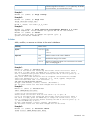
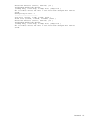
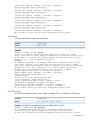
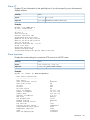
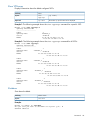
Example 1:
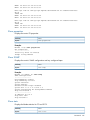
MPX200 <1>(admin) #> save capture
Debug capture completed. Package is System_Capture.tar.gz
Please use FTP to extract the file out from the System.
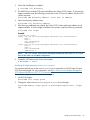
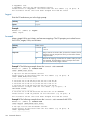
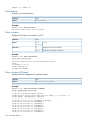
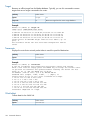
Example 2:
MPX200 <1>(admin) #> save logs
Save Event Logs completed. Package is Router_Evl.tar.gz
Please use FTP to extract the file out from the System.
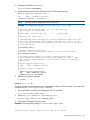
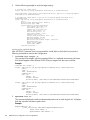
Example 3:
MPX200 <1>(admin) #> save traces
Save ASIC Traces completed. Package is Router_Asic_Trace.tar.gz
Please use FTP to extract the file out from the System.
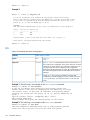
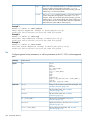
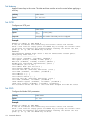
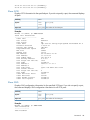
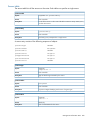
Set
Configures general router parameters, as well as parameters for the FC, iSCSI, and management
ports.
Authority
Admin session
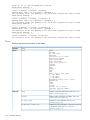
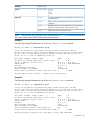
Syntax
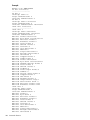
set
alias
chap
chassis
fc [<PORT_NUM>]
features
iscsi [<PORT_NUM>]
isns
mgmt
ntp
properties
snmp [trap_destinations [<DEST_NUM>]]
system
vpgroups [vpgroup index]
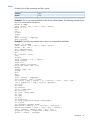
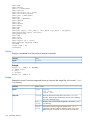
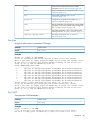
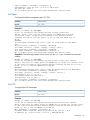
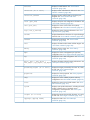
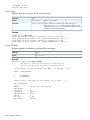
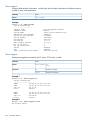
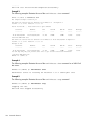
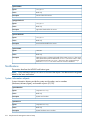
Keywords
alias
Assigns an alias name to a presented iSCSI target. See
“set alias command” (page 169).
chap
Sets the CHAP secrets. See “set CHAP
command” (page 169).
chassis
Sets the chassis name. See “set chassis
command” (page 170).
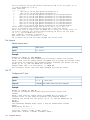
fc [<PORT_NUM>]
Sets the FC port parameters. See “set FC
command” (page 170).
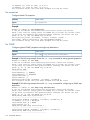
features
Applies license keys to the router. See “set features
command” (page 172).
iscsi [<PORT_NUM>]
Sets the iSCSI port parameters. See “set iSCSI
command” (page 172).
168 Command reference